List of draw.io plugins
Plugins should be used as-is, as unsupported examples for developers.
There are a number of built-in plugins that can be added to draw.io, either added as a one-off or loaded every time you use draw.io with that browser.
To load a plugin, use the p=xxxx URL parameter, separating multiple plugin IDs with a semicolon. This does not permanently load the plugin, so the next time you create a diagram it won't be available.
For example:
- To load the anonymize plugin in our online editor: https://app.diagrams.net/?splash=0&p=anon
- To load both the anonymize and text plugins: https://app.diagrams.net/?p=anon;text
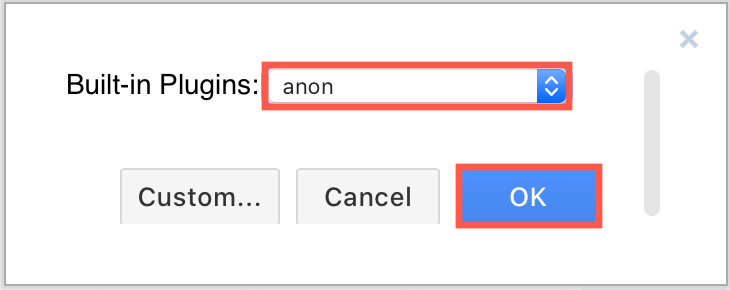
To permanently add plugins, select a plugin from the list of built-in plugins via the Add Plugin dialog, click OK and then Apply to save your changes. Make sure you reload the editor in your browser tab after you permanently add or remove a plugin.
Note: Plugins are not part of the core functionality of draw.io, they are intended as examples for developers to create additional functionality.
The following plugins are available from the draw.io GitHub repository.
| Filename | ID | Description | Status |
|---|---|---|---|
| explore.js | ex | Adds Explore to the context menu of shapes with connections, and a click handler to the lightbox that explores the clicked shape (example, built-in feature) | built-in |
| svgdata.js | svgdata | Adds metadata and IDs in the SVG export (built-in feature) | built-in |
| props.js | props | Shows shape metadata in chromeless mode (example, how to use) | |
| text.js | text | Adds Extras > Extract Text for extracting all of the text in a diagram (how to use, built-in feature) | built-in |
| update.js | update | Adds data-driven diagrams in chromeless mode (source code, example) | |
| replay.js | replay | Adds Extras > Record for replaying all changes made to a diagram | |
| anonymize.js | anon | Adds Extras > Anonymize Current Page to remove metadata and change labels, including the page name (how to use, built-in feature) | built-in |
| number.js | number | Numbers all shapes and adds View > Number to show or hide the numbers. Clear Numbered in the Properties section of the Style tab to leave out a shape (built-in feature) | built-in |
| tags.js | tags | Adds Extras > Tags to open the Tags window (built-in feature) | built-in |
| trees.js | trees | Adds the Trees shape library with mindmap and org chart shapes, and keyboard shortcuts and context menu items to add and select the shapes in these trees (built-in feature) | deprecated |
Note: The sql, anim, webcola and flow plugins have been removed. Use the built-in Insert from SQL, custom action effects, layouts and connector animation features instead.
Note: Plugins work with the web version of draw.io (app.diagrams.net) or our Docker image if you want to run your own server. They do not work with draw.io for Confluence/Jira or with draw.io Desktop.