Edit colours in embedded SVG images
To be able to set the fill and stroke (line) colours of an embedded SVG via a CSS selector, add the editableCssRules key along with a regular expression without flags in the shape style.
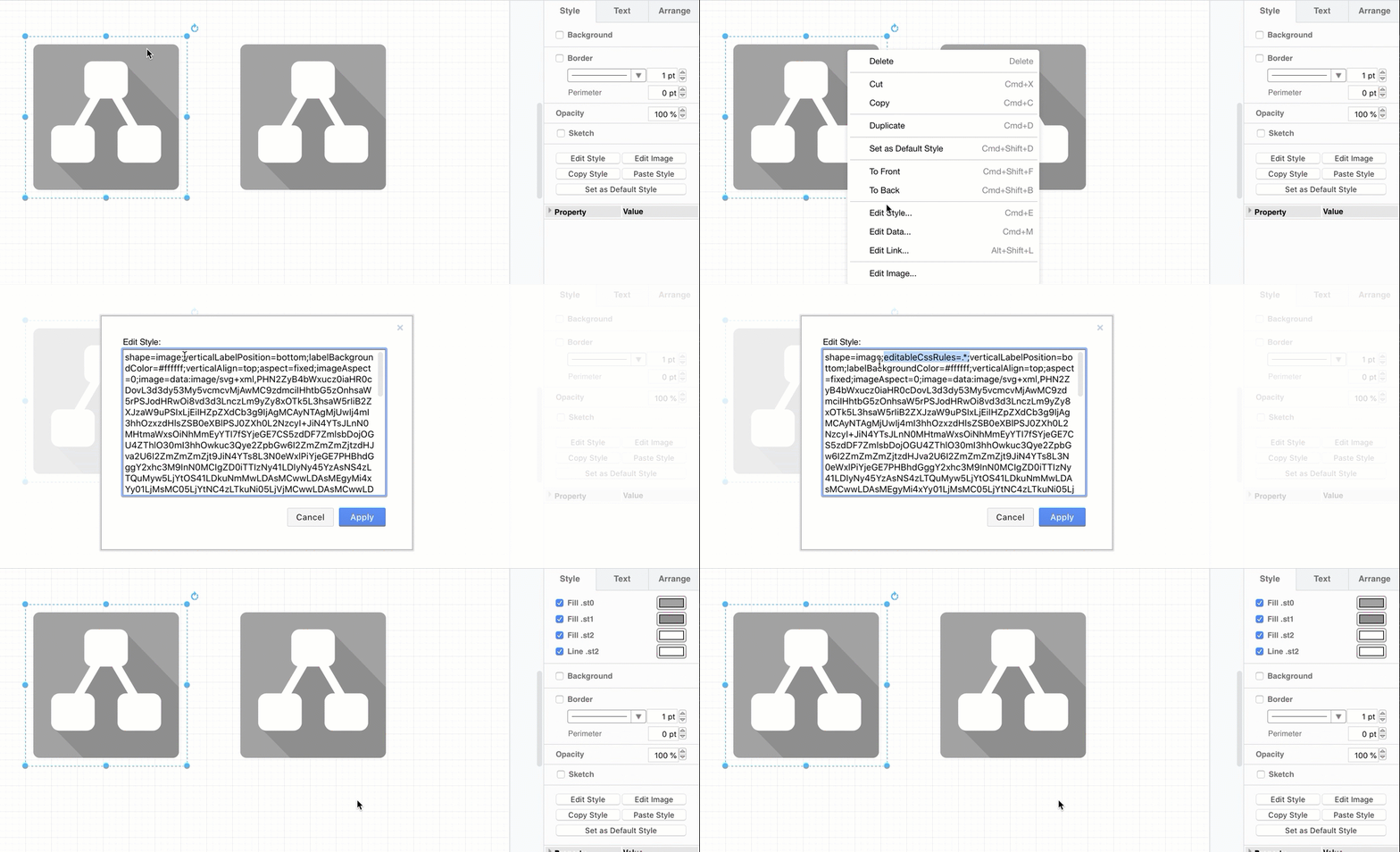
Note: This only works for embedded SVG images, not for those that are included via a link. Insert an SVG image into your diagram via File > Import or by dragging the SVG file onto the drawing canvas.
Set the fill and line colours of an SVG to be editable
- Select the SVG image shape in your diagram, then click Edit Style in the format panel (press
Ctrl+Eon Windows orCmd+Eon macOS, or select it from the right-click context menu).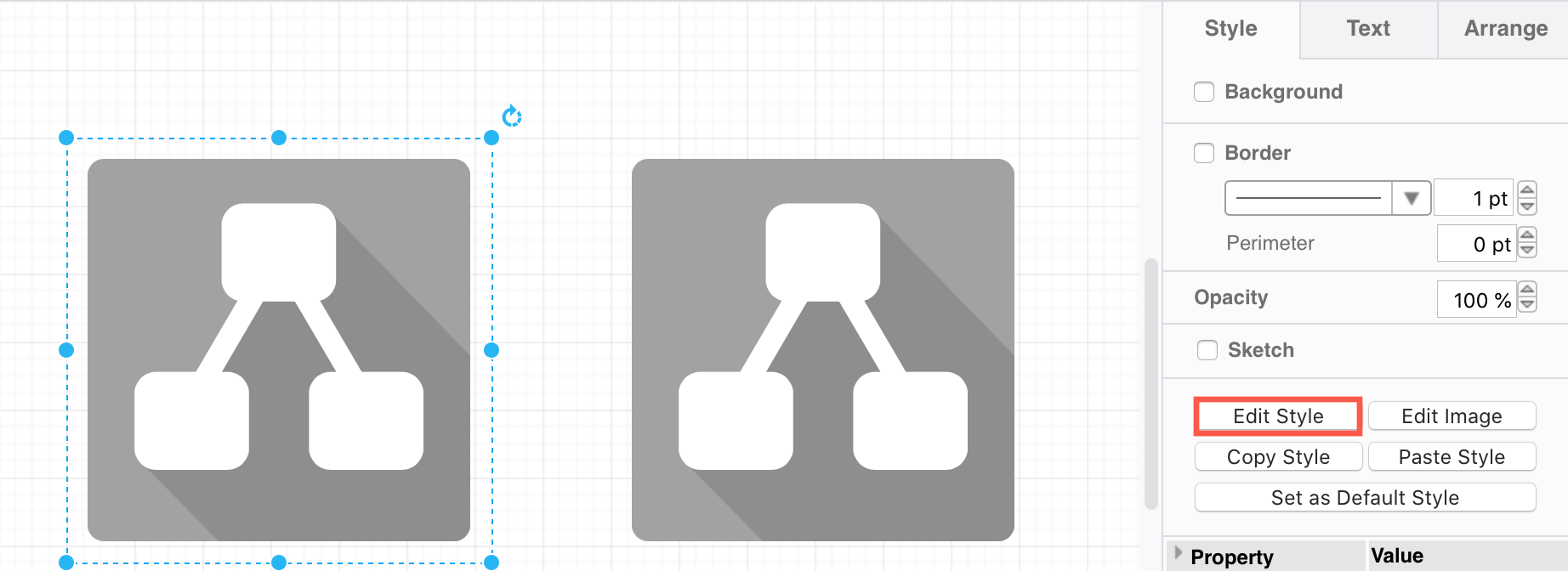
- Add the
editableCssRulesand the regular expression that selects which elements you want to be able to style as akey=valuepair in the style description. For example:- To allow all styles to be edited,
editableCssRules=.*;.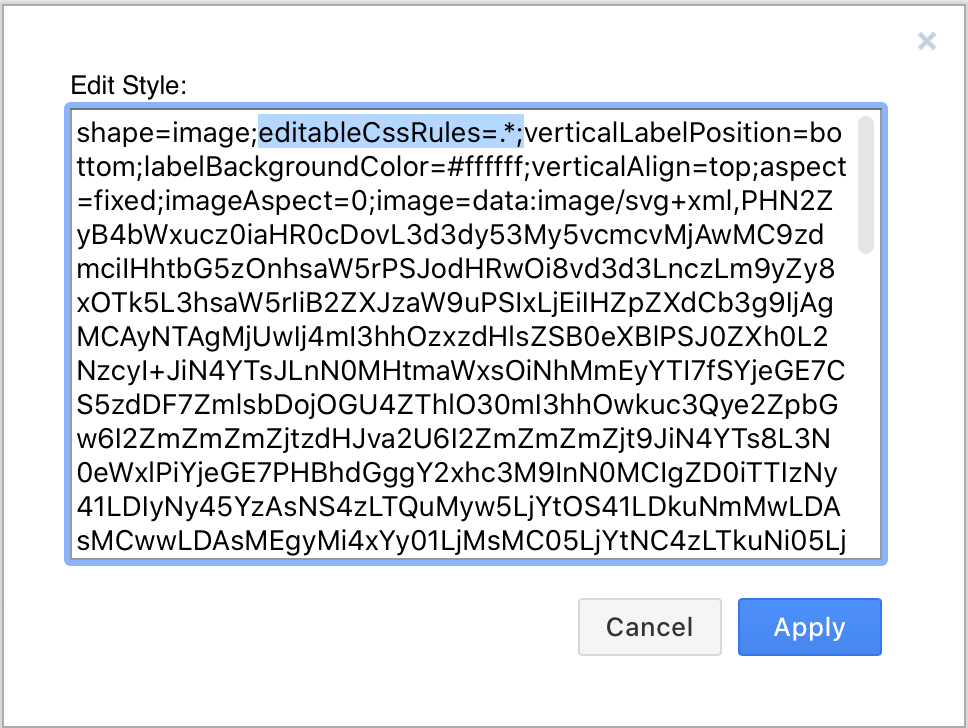
- To limit this in the example below to just
st1andst2, entereditableCssRules=\.st[02];.
- To allow all styles to be edited,
Now, you can style the fill and line colours in the Style tab of the format panel.
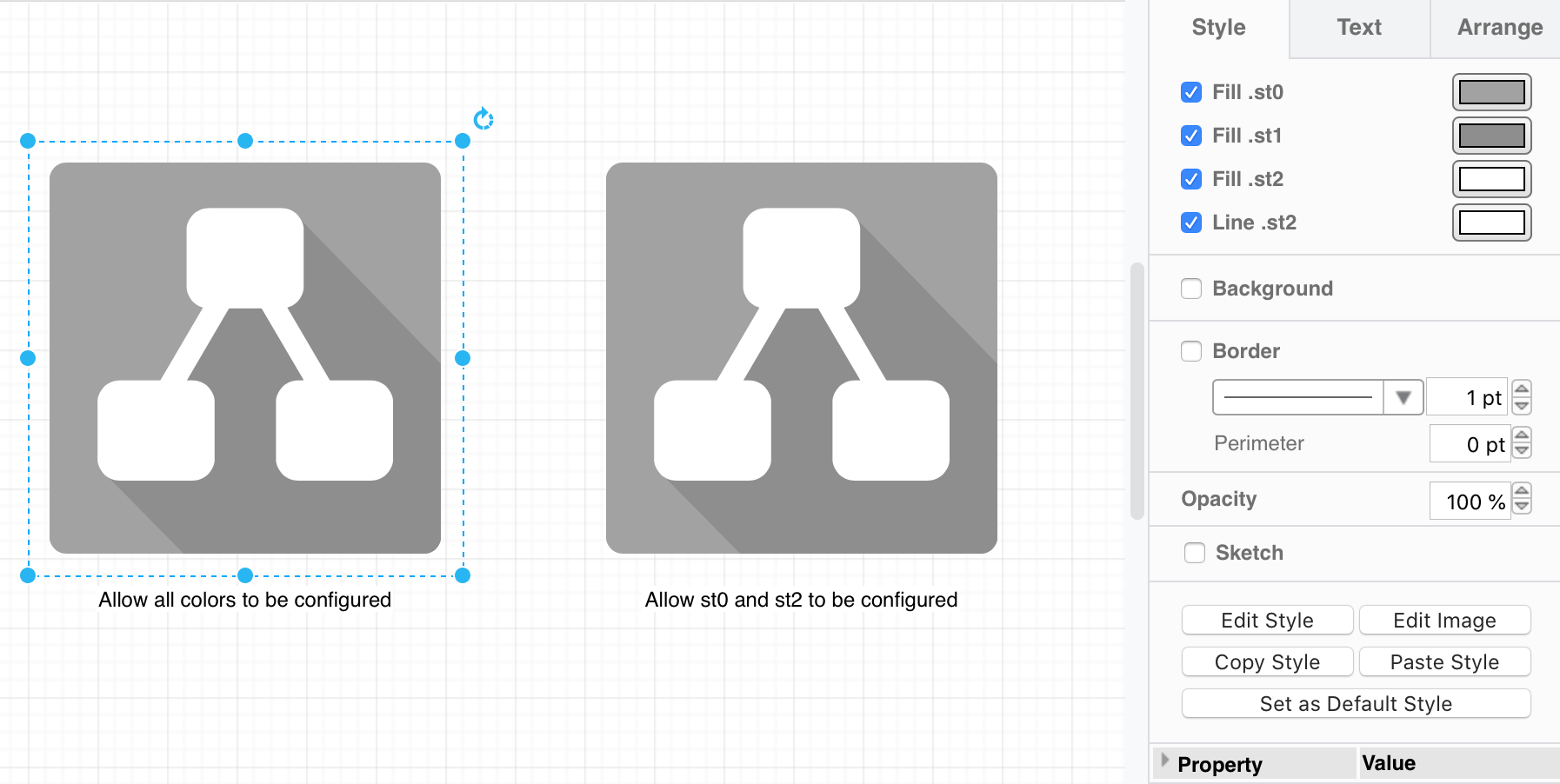
For example, in the following SVG image, the CSS rules in the <style> section define three CSS classes which are used to style the paths in the SVG.
<svg version="1.1" xmlns="http://www.w3.org/2000/svg" xmlns:xlink="http://www.w3.org/1999/xlink" viewBox="0 0 250 250">
<style type="text/css">
.st0{fill:#a2a2a2;}
.st1{fill:#8e8e8e;}
.st2{fill:#ffffff;stroke:#ffffff;}
</style>
<path class="st0" d="M237.5,227.9c0,5.3-4.3,9.6-9.5,9.6c0,0,0,0,0,0H22.1c-5.3,0-9.6-4.3-9.6-9.5c0,0,0,0,0,0V22.1
c0-5.3,4.3-9.6,9.5-9.6c0,0,0,0,0,0h205.9c5.3,0,9.6,4.3,9.6,9.5c0,0,0,0,0,0V227.9z"/>
<path class="st1" d="M237.5,227.9c0,5.3-4.3,9.6-9.5,9.6c0,0,0,0,0,0H89.6L44.8,192l27.9-45.5l82.7-102.7l82.1,84.5V227.9z"/>
<path class="st2" d="M197.1,138.3h-23.7l-25-42.7c5.7-1.2,9.8-6.2,9.7-12V51.5c0-6.8-5.4-12.3-12.2-12.3c0,0-0.1,0-0.1,0h-41.7
c-6.8,0-12.3,5.4-12.3,12.2c0,0,0,0.1,0,0.1v32.1c0,5.8,4,10.8,9.7,12l-25,42.7H52.9c-6.8,0-12.3,5.4-12.3,12.2c0,0,0,0.1,0,0.1
v32.1c0,6.8,5.4,12.3,12.2,12.3c0,0,0.1,0,0.1,0h41.7c6.8,0,12.3-5.4,12.3-12.2c0,0,0-0.1,0-0.1v-32.1c0-6.8-5.4-12.3-12.2-12.3
c0,0-0.1,0-0.1,0h-4l24.8-42.4h19.3l24.9,42.4h-4.1c-6.8,0-12.3,5.4-12.3,12.2c0,0,0,0.1,0,0.1v32.1c0,6.8,5.4,12.3,12.2,12.3
c0,0,0.1,0,0.1,0h41.7c6.8,0,12.3-5.4,12.3-12.2c0,0,0-0.1,0-0.1v-32.1c0-6.8-5.4-12.3-12.2-12.3
C197.2,138.3,197.2,138.3,197.1,138.3z"/>
</svg>
See this as an example in draw.io online
Note: Semicolons are not allowed in the style values, as a semicolon is used to separate the key=value pairs in the shape style.
Disable dark mode colours
To disbale support for separate dark mode colours, add color-scheme: light; in the style attribute of the SVG element or use darkMode=0 in the cell style. (Note that dark mode for SVG images is not yet supported in Safari, it will use the light colours in both light and dark mode.)
Shared image data in SVG exports
In SVG exports, differently coloured copies of the same image with editableCssRules share a single definition of the image, with the colours applied per instance, which keeps the exported file small.
Tip: See how to Style embedded SVG images with CSS variables.