License draw.io (Server)
To purchase a license for draw.io in Confluence or Jira Server, install the draw.io plugin via the Atlassian Marketplace and start with a free trial.
Install draw.io for Confluence or Jira
- Go to your instance's administration section, and select Find new apps under the Atlassian Marketplace section.
- Search for
draw.ioand click on Free Trial, then on Accept & install to add the draw.io app to your instance.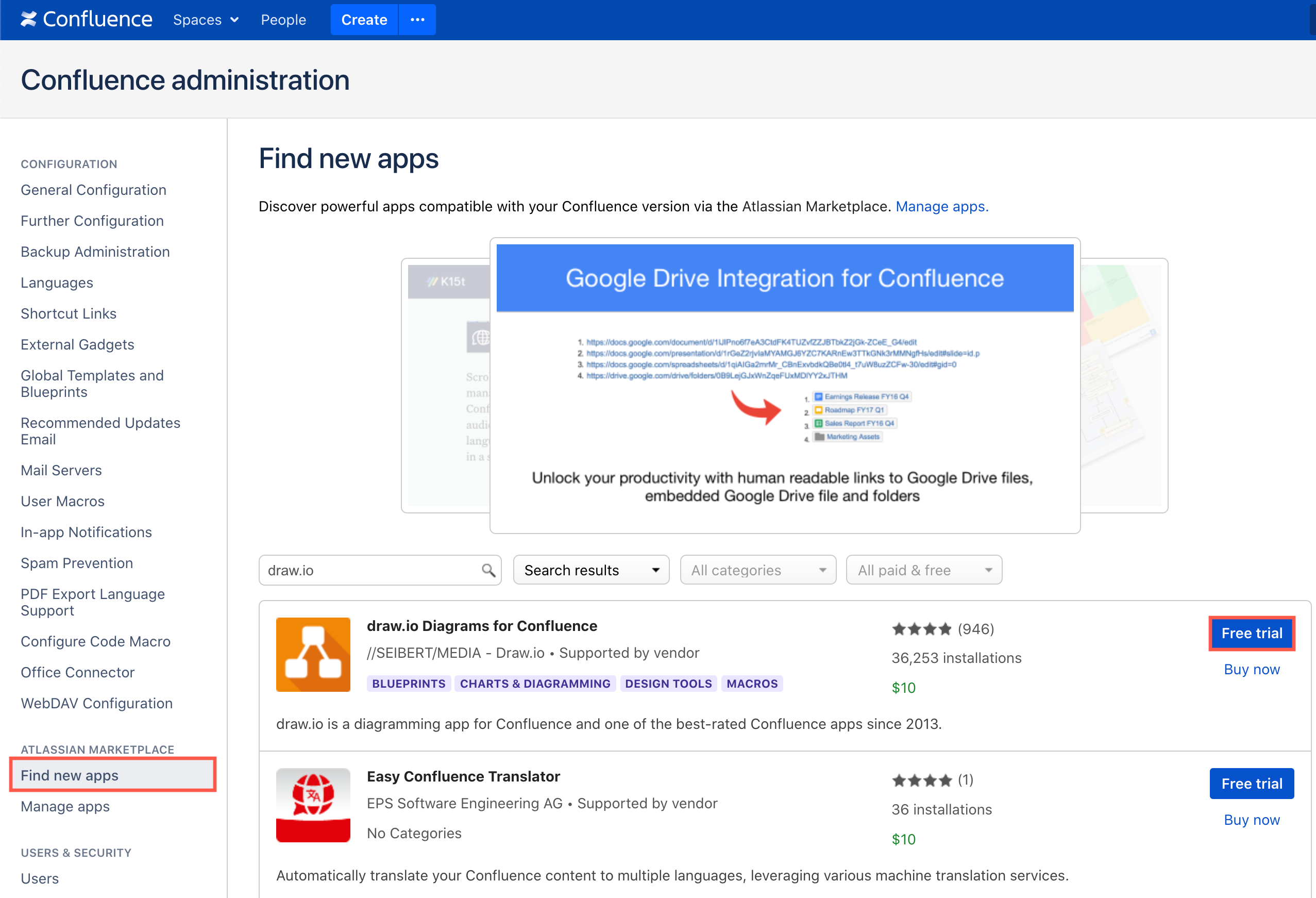
Note: If you have previously installed draw.io, go to the Manage apps page in the Atlassian Marketplace section in your instance's administration. Expand the draw.io app details, and click on Free Trial. - You'll be prompted to log into your Atlassian account, which will register your free trial and save your trial license.
You can extend your evaluation license a limited number of times (see below), after which you will need to purchase a license to continue using draw.io.
Tip: If you are migrating from Gliffy to draw.io in Confluence Server, you can now mass import your Gliffy diagrams into draw.io.
Purchase a license for draw.io for Confluence or Jira
- Go to the Manage apps page in the Atlassian Marketplace section in the administration area of your instance.
- Expand the draw.io app details, and click on Buy now.
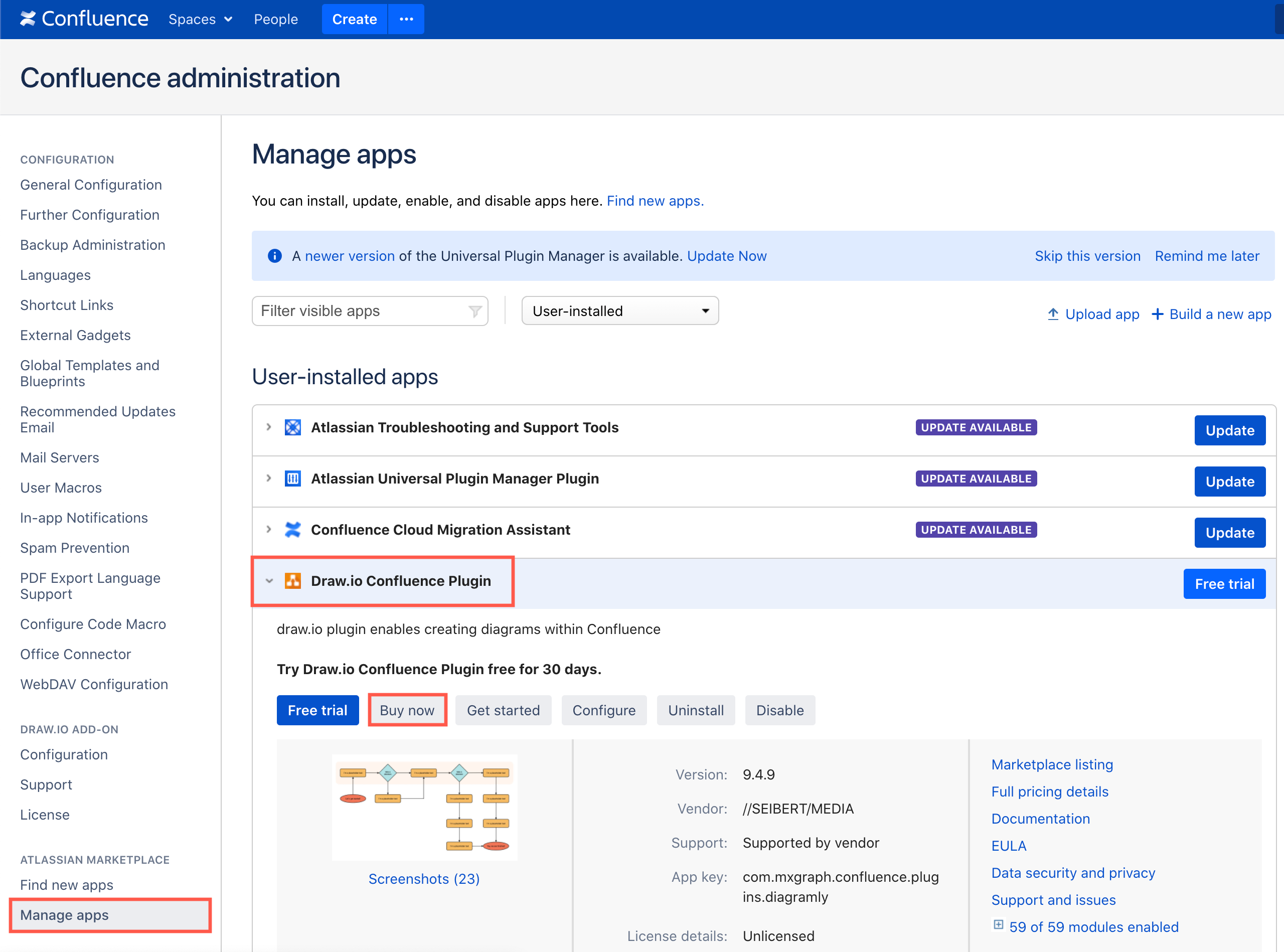
- Follow the usual purchase process for Atlassian Marketplace apps, and when this is complete, your commercial license will be automatically saved in your Confluence or Jira instance.
Generate a quote for draw.io for Confluence or Jira Server
As Atlassian sells the draw.io on the Atlassian Marketplace, they must provide you with a quote. You can generate a quote via the Marketplace.
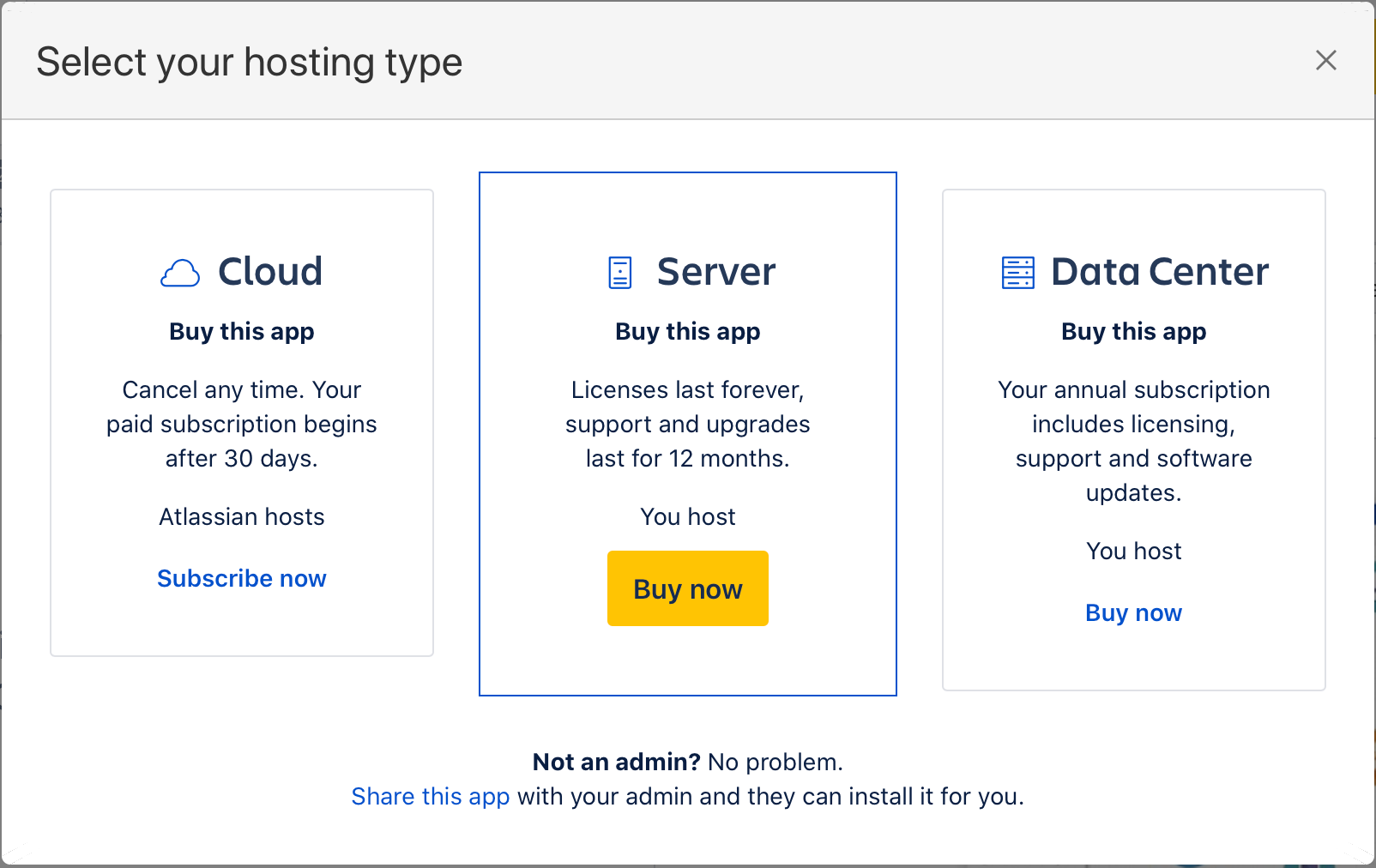
- Go to https://marketplace.atlassian.com/plugins/com.mxgraph.confluence.plugins.diagramly/server/overview.
- Click on Buy it now. Select Server then click Buy now.
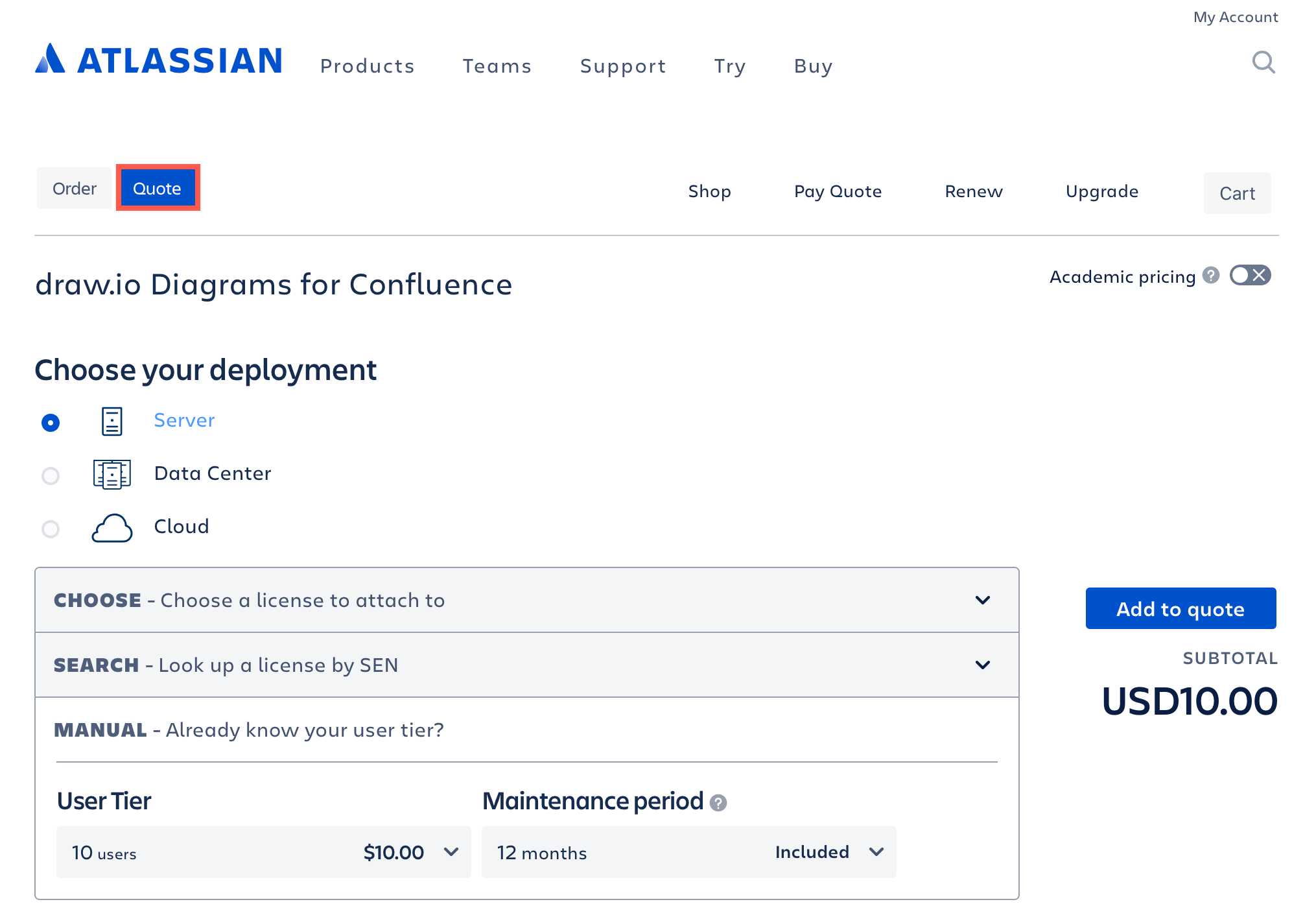
- Select Quote and fill in the details of your purchase. Click Add to quote and submit the form to Atlassian.
Get or extend an evaluation license for draw.io for Confluence Server
You can generate up to three evaluation licenses for Confluence Server apps. If your draw.io evaluation license has expired you can get a new evaluation license through Atlassian.
- Go to https://my.atlassian.com/products and log in with the account that has the evaluation license that just expired.
- In the list of licenses or SENs on that page, find and expand the entry for draw.io Diagrams for Confluence: Trial.
- Underneath the License Key field, click on New Trial License, and follow Atlassian's instructions. Copy the license key that you are given.
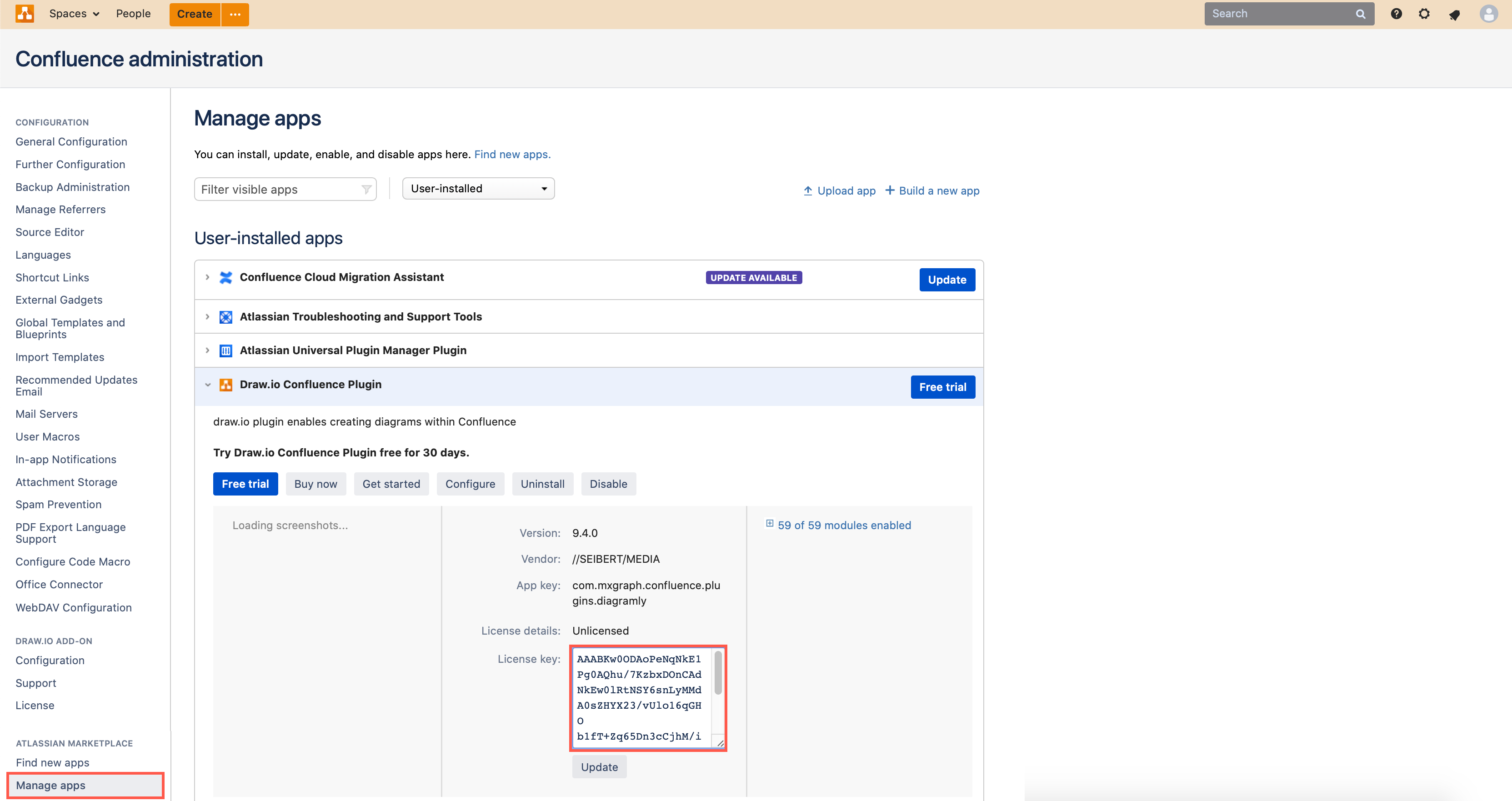
- As an administrator in your Confluence instance, click on the gear icon in the menu, then select Manage apps.
- Expand the Draw.io Confluence Plugin section, paste your copied license key into the License Key field, then click Update.
Get a new license via the Atlassian Marketplace
If you don't see the option to get a new trial license via your list of licenses, you can generate a new trial license via the Atlassian Marketplace.
- Make sure you are logged into your Atlassian account and go to draw.io for Confluence on the Atlassian Marketplace.
- Click on Try it free, make sure Server is selected, then click Start free trial.
- Enter your organisation's details, then click Generate License.
- Copy the license key, and paste it into the License Key field in the Draw.io Confluence Plugin section on the Manage apps page in your Confluence administration area.