Tree diagrams
Tree diagrams are used to show hierarchies, to categorise something or show decisions. They are commonly used in computer science for binary search trees, red-black trees, and more, and to show directory structures on computers or a website navigation structure. Tree diagrams are quick and easy to create in draw.io.
Tip: You have most likely seen tree diagrams casually as family trees, workplace organisation charts, evolutionary trees, table of contents in books, and playoff brackets in sports. Mindmaps are also typically tree diagrams, although mindmap nodes may sometimes be connected to multiple parents.
Terminology for tree diagrams
- Each element in a tree is called a node, and the topmost element is the root node.
- The connectors between elements are called branches.
- All elements, except the root node have a parent node. The elements that are one step lower down the hierarchy from an element are its children.
- If an element has no children, it is a leaf node - is the end of a branch.
- Sibling nodes share a parent node.
- You can follow branches toward the root node to find an elements' ancestors, or in the opposite direction toward the leaf nodes to find its descendants
Draw a tree diagram in draw.io
The simplest tree uses a basic rectangle shape (or any other shape you prefer) for each element, with either straight or horizontal connectors between parent and child nodes. The fastest way is to let draw.io connect the nodes automatically, adding them from the quick selection box and direction arrows.
Add the root node
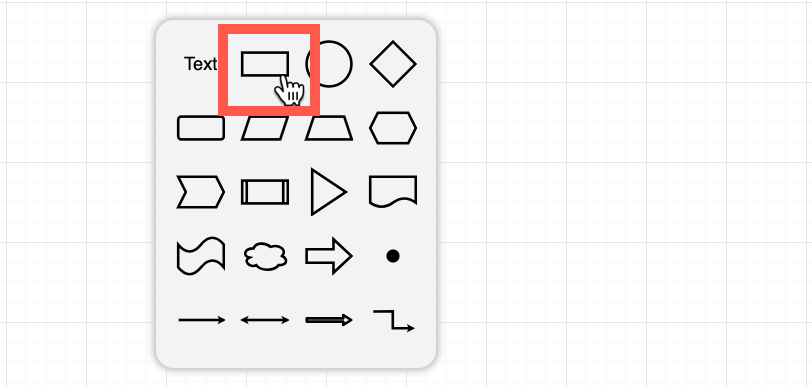
Double click on the drawing canvas and select a rectangle shape for the root node.
Add child nodes and connect them
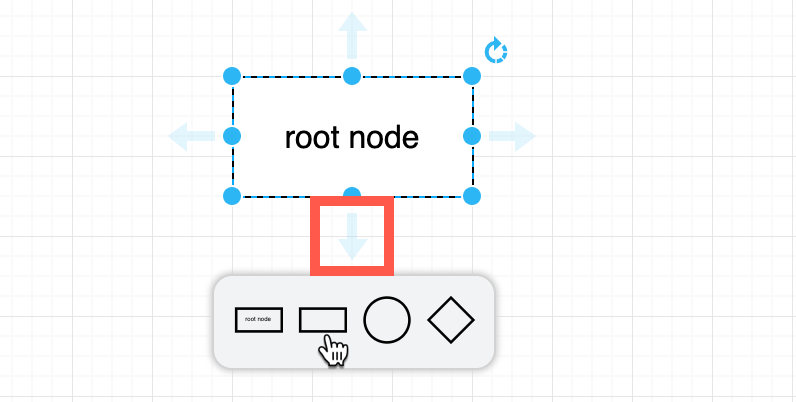
Hover over the root node then the down arrow to show the shape quick select, and click on a rectangle to add and connect a child node. The first shape in this quick select is always a clone of the parent shape, the next will always be an empty rectangle.
Tip: To add nodes even faster with a keyboard shortcut, select the parent node, hold down Alt+Shift and tap an arrow key to clone and connect a shape in that direction. This only works if there is no existing shape in the direction you choose though!
Reposition child nodes
Drag the child node a little out of the way so you can use the direction arrow again, and repeat the previous step to add more child nodes.
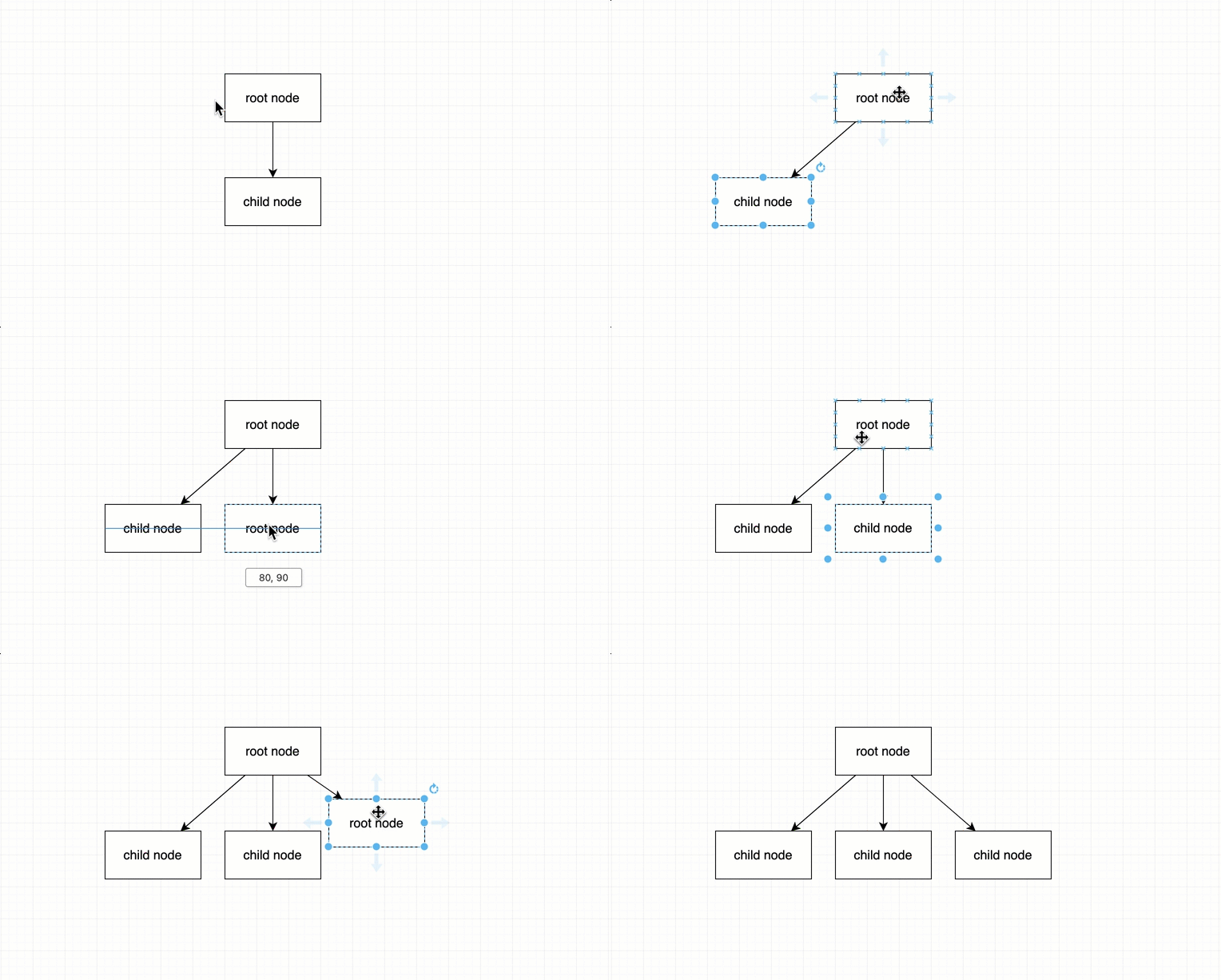
Tip: Hold Alt (Cmd) and drag a connector from one of the direction arrows to add and connect a clone of the parent node.
Style connectors in tree diagrams
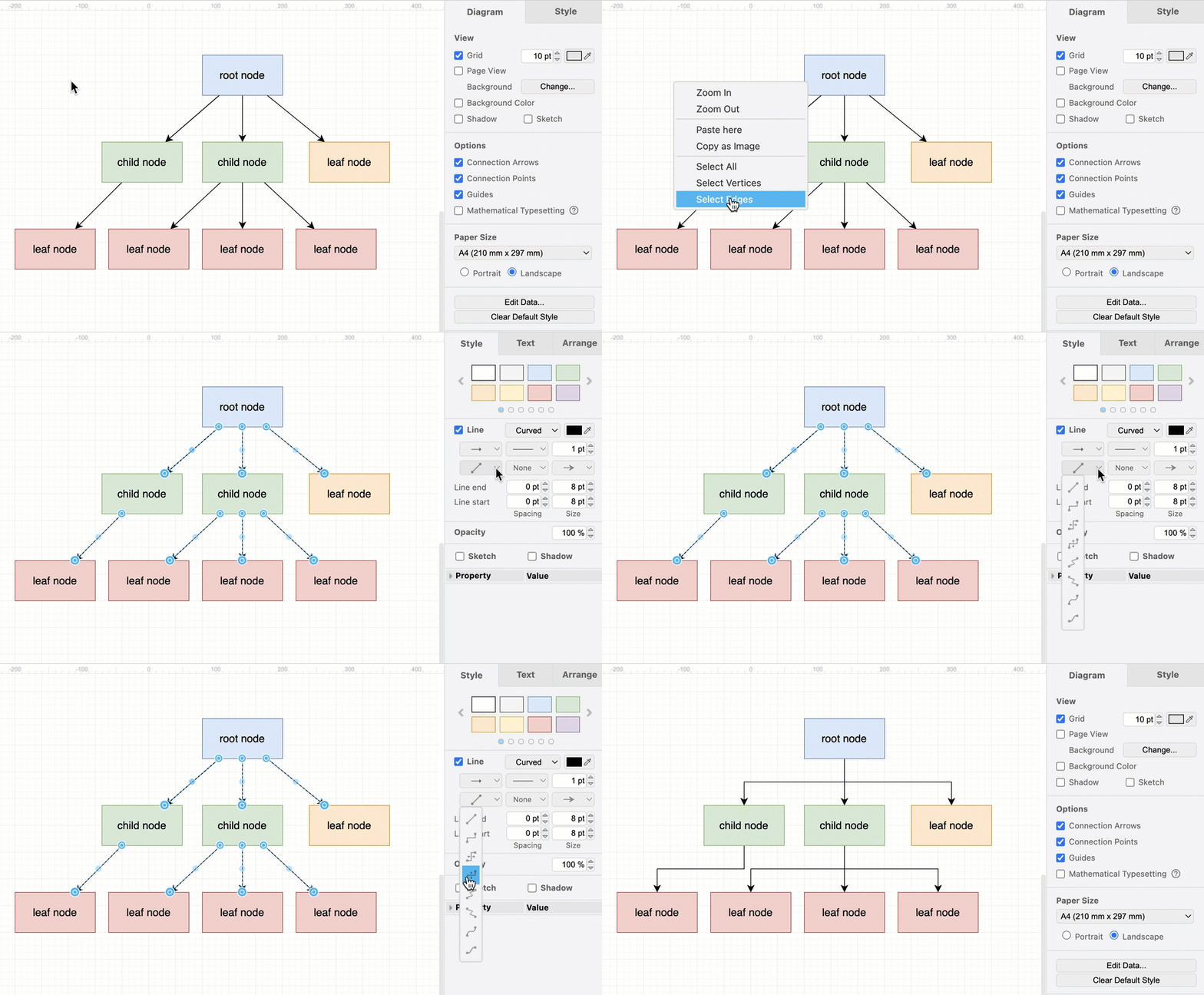
Right click on a blank area of the drawing canvas and select All Edges. From the connector style drop-down list in the Style tab of the format panel, select Horizontal (or Straight) to change the connector style.
Tree diagram shortcuts in draw.io
You can draw tree diagrams even faster in draw.io in a number of ways.
Generate a tree diagram from text
Click on the + in the toolbar or select Arrange > Insert from and select Text, then describe your tree diagram using text and click Insert to generate the tree diagram. You can also generate tree diagrams with Mermaid syntax.
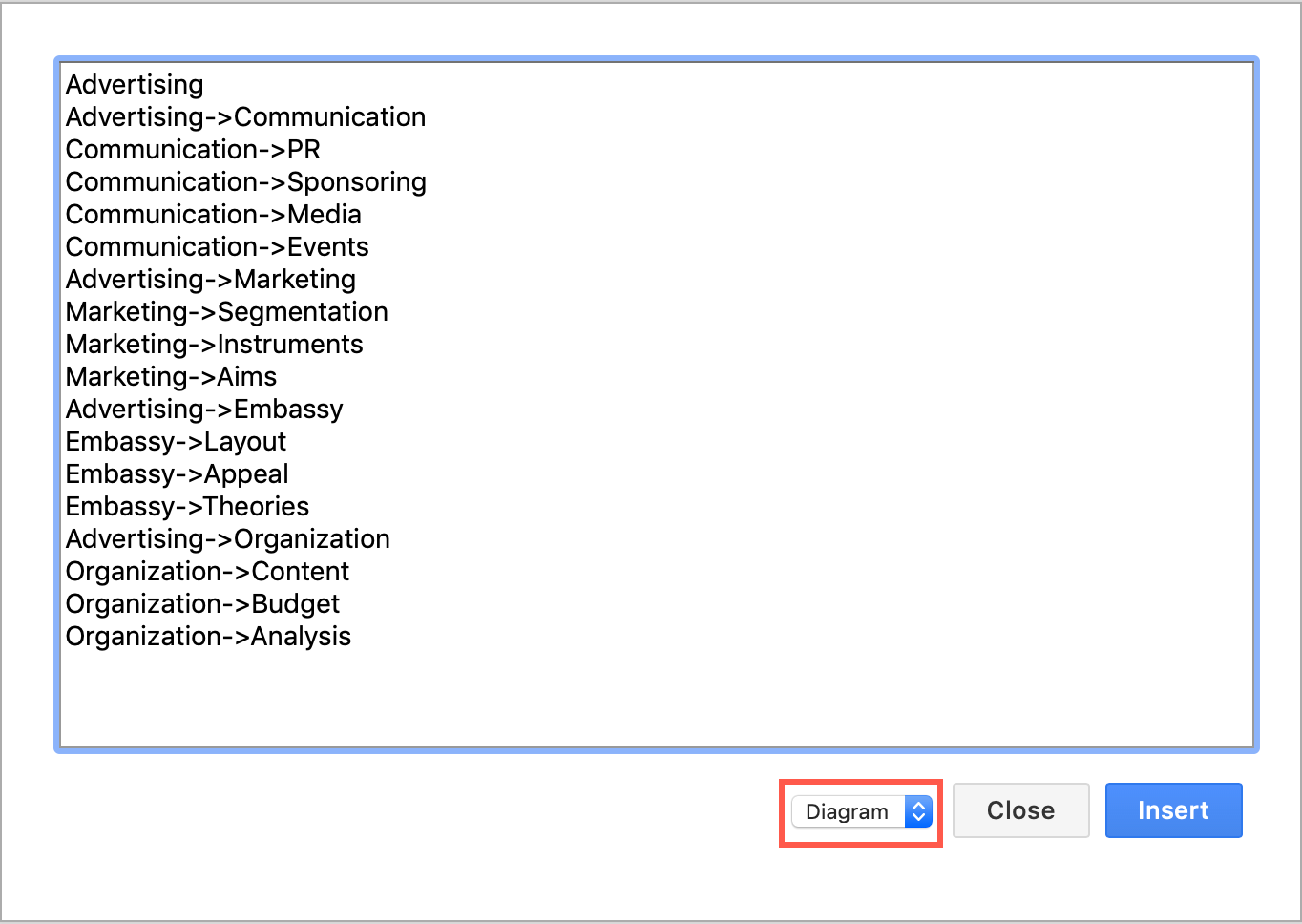
Tip: Create fancier org charts with pictures and links by inserting CSV text and diagram formatting information.
Use an automatic layout shape
Add a tree diagram layout shape from the Advanced shape library. Hover over any shape and click a left or right direction arrow to add a sibling node, or the down arrow to add a child node. The layout shape will expand to fit your tree, and automatically space the nodes evenly.
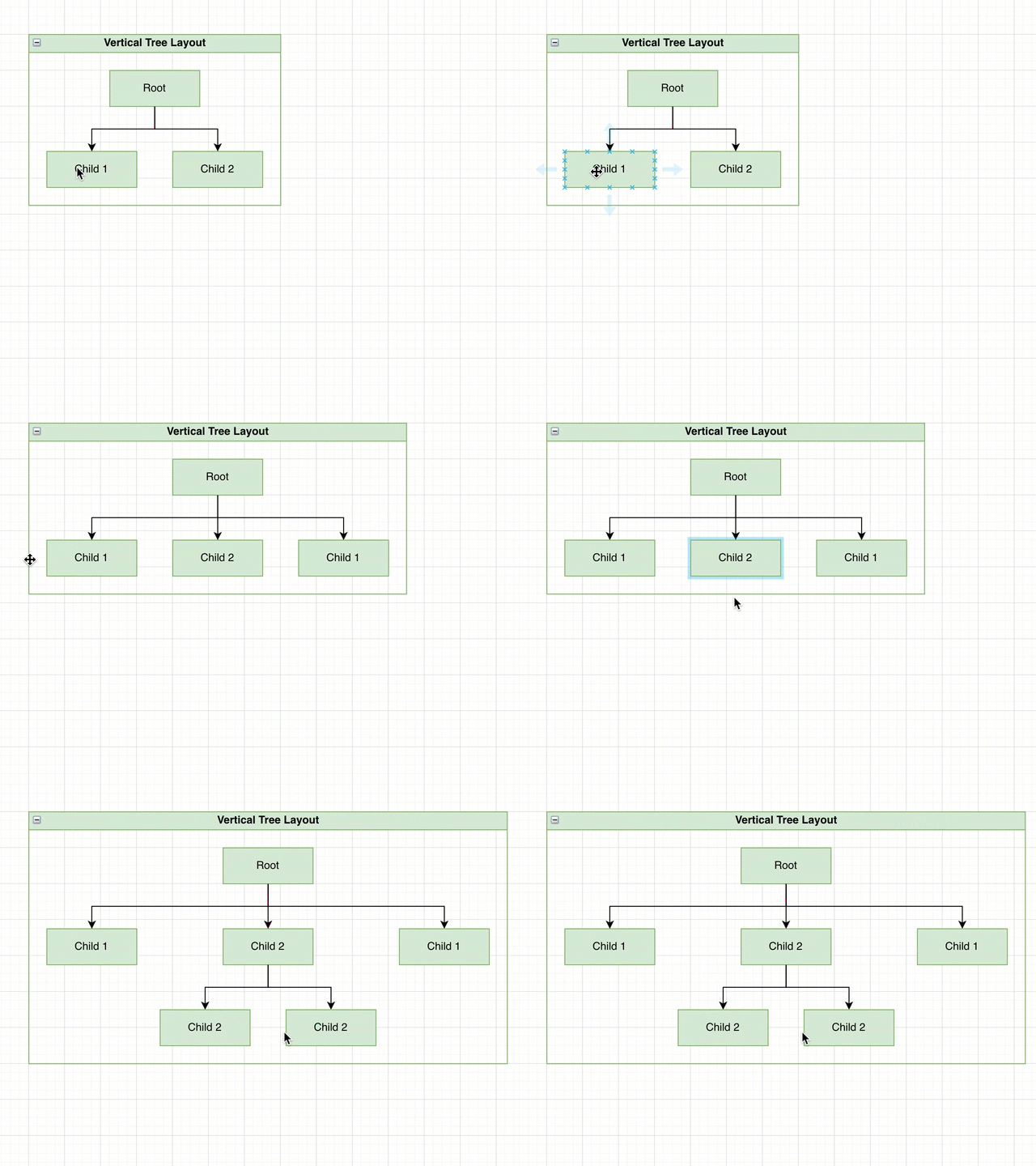
Tip: You can automatically layout your diagram via the menu too - click Arrange > Insert > Layout to use the layout dialog to build your tree
Apply a tree layout
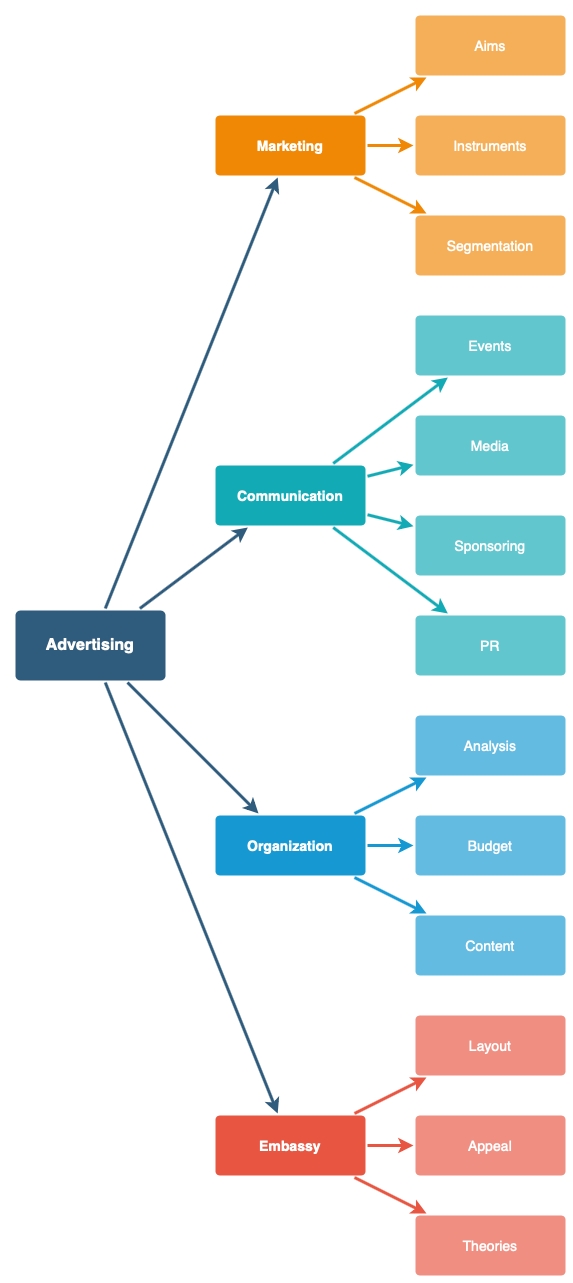
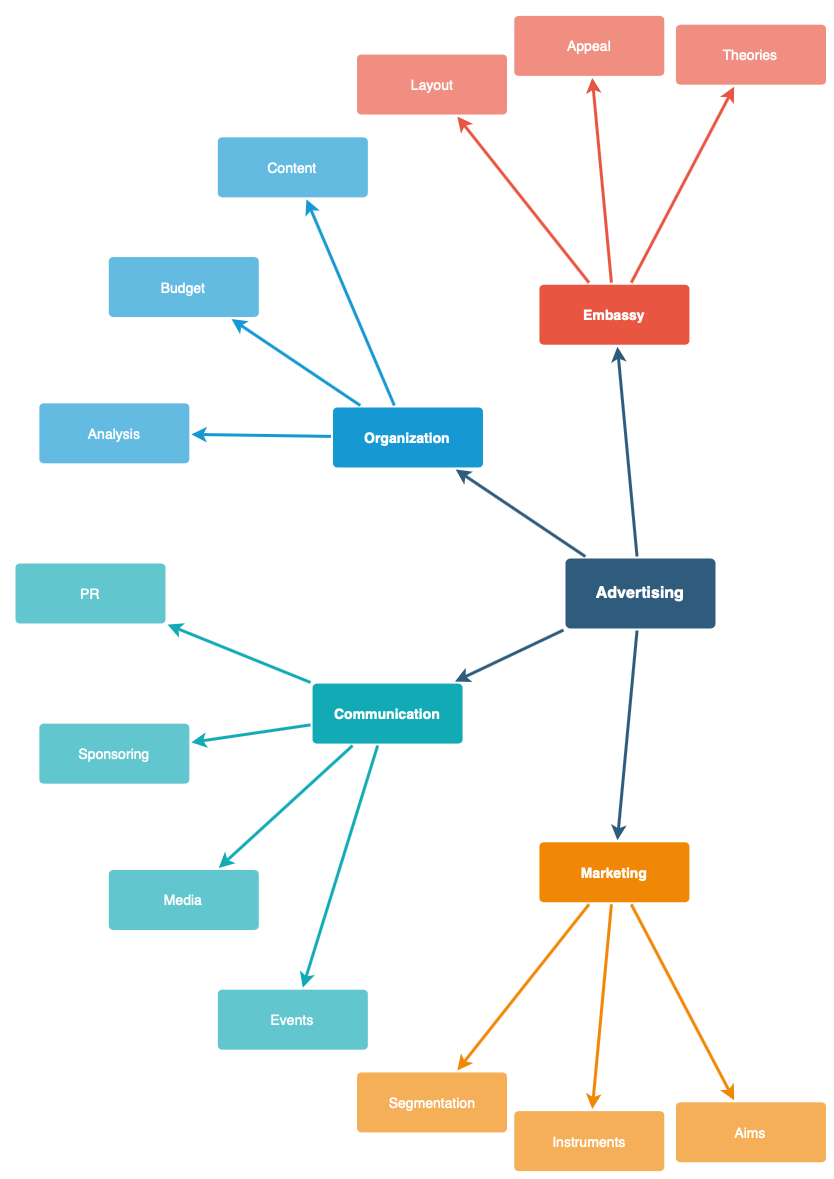
To rearrange the shapes neatly, apply a new layout via the toolbar or menu. Click the + in the toolbar or select Arrange from the menu. Select Layout then choose the tree layout you want to use - horizontal, vertical or radial.

Related
You can also generate a tree diagram from a natural language description.
To keep many branches coming from one node neatly organised, use a waypoint shape as an intermediate connection point.
There are other specific types of tree diagrams including organisation charts and sentence trees.