JSON technical reference for animation actions
Animations that play when a custom link is clicked, as well as page animations that play when the diagram page is opened in the lightbox viewer or presentation mode are defined by JSON strings in the cell the link is attached to or the diagram page cell.
Select the Edit Text checkbox in the custom link editor or the page animation editor to see the raw JSON of the custom action sequence or page animation sequence. Changes you make to this JSON string will be reflected when you return to the editor dialog - deselect Edit Text to return.
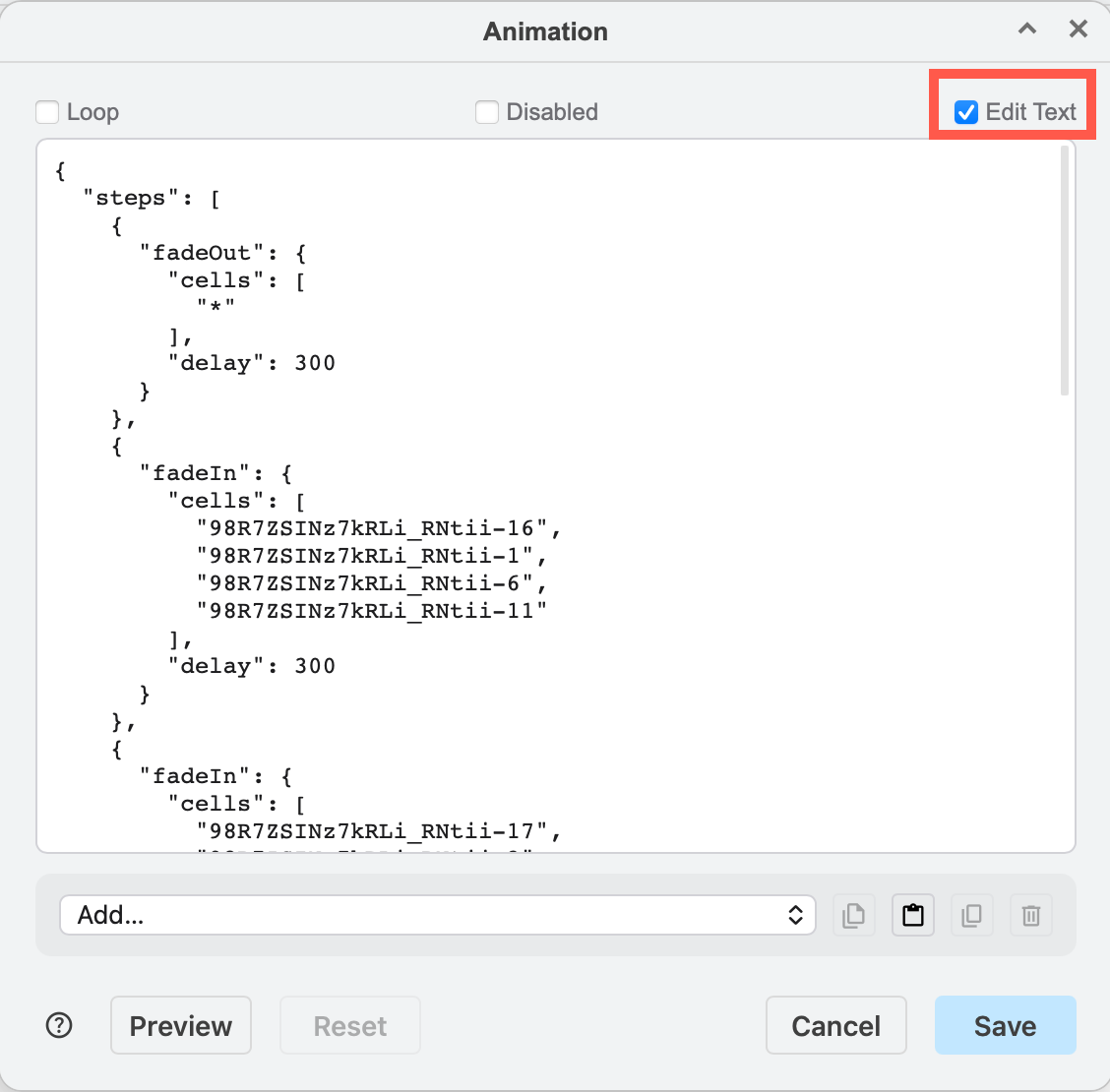
Each action has a list of cells, layers and tags it acts upon and cells it explicitly excludes, apart from some actions such as Wait. Depending on the type of action, there may be fields to specify the duration of the action, a colour or style attribute (for toggling styles) and so on.
Wait/Immediate toggle
By default actions are run sequentially with a default wait of 400ms. To run actions simultaneously, set the immediate flag. immediate on the first step is ignored.
{"fadeIn": {"cells": ["A"]}}
{"fadeIn": {"cells": ["B"]}, "immediate": true}
{"fadeIn": {"cells": ["C"]}}
Example 1 — toggle cells by ID
data:action/json,{"actions":[{"toggle": {"cells": ["5", "7"]}}]}
Shows or hides the cells with ID 5 and ID 7, depending on their current visible state. See this example in the online editor.
Example 2 — open page, highlight cell
data:action/json,{"actions":[{"open": "data:page/id,1"},{"highlight":{"cells":["2"],"opacity":100, "color": "red"}}]}
Opens the page with ID 1 and then highlights the cell with ID 2 in red at 100% opacity.
Example 3 — show all tagged cells, then hide some by tag
data:action/json,{"actions":[{"show": {"tags": []}},{"hide": {"tags": ["pipe", "water"]}}]}
Shows every cell that has a tag, then hides the cells with the tags pipe and water.
Reference: action JSON
A custom-action link is encoded in a cell data link property as data:action/json,<JSON> where the JSON string looks like:
{
  "title": "Optional title",
  "actions": [
    {"fadeIn": {"cells": ["cellA", "cellB"], "delay": 400}},
    {"wait": 500},
    {"highlight": {"tags": ["urgent"], "tagsMatch": "or", "color": "#ff0000"}},
    {"fadeOut": {"layers": ["layerId-1"]}}
  ]
}
A page-level animation is encoded in the page data under a single animation propertly with optional loop and enabled fields:
{"animation": {"loop": false, "enabled": false, "steps": [ … same step objects … ]}}
The runtime flattens nested {animation: {steps: […]}} wrappers at dispatch, so the custom link and page animation formats are interchangeable, and action sequences can be copied between the two.
Both loop and enabled default to true and are not explicit in the JSON when left as the default, for backwards compatability. When enabled: false, Editor.playAnimationOnGraph returns null and the chromeless autoplay (in the lightbox viewer and presentation mode) skips the script.
Selector fields per action
Every targeting action accepts these on its inner object:
| Field | Type | Meaning |
|---|---|---|
cells | string[] | Cell IDs. "*" matches every cell. |
layers | string[] | Layer cell IDs. Every descendant of each listed layer is included (resolved at runtime, so newly-added cells in the layer are picked up). |
tags | string[] | Tags to match (combined per tagsMatch). |
tagsMatch | "and" (default) / "or" | How tags combine. |
excludeCells | string[] | Cell IDs to remove from the result. "*" excludes everything. |
The runtime resolves cells via cells ∪ layers ∪ tags (de-duplicated), then removes excludeCells as the final pass. So {cells: ["*"], excludeCells: ["cellA"]} always means "all cells except cellA" regardless of where the cell originally came from.
Navigation transitions
The scroll and viewbox actions accept an optional smooth: true to animate the change:
{"viewbox": {"x": 100, "y": 50, "width": 400, "height": 300, "smooth": true}}
{"scroll":  {"cells": ["cellA"], "smooth": true}}
In the dialog this is exposed as the Transition checkbox. In chromeless / lightbox / presentation mode it places a CSS transition: transform on the SVG root group so the next pan/zoom animates with an ease-out curve. In the editor, with a wide or long diagram larger than then viewport, the zoom snaps and the scroll position tweens via requestAnimationFrame.
Tags action
The tags action operates on global tag visibility, not on cells.
{"tags": {
  "toggle": ["important", "draft"],
  "hidden": ["archived"],
  "visible": ["release"]
}}
toggle flips visibility for the listed tags, hidden forces them off, visible forces them on (and hides every other tag). All three fields are arrays.
Persistent effect to legacy actions
Add the transient: false to add a persistent effect to legacy actions: Show, Hide, Toggle, Set Style, Toggle Style.
The flag is intentionally hidden from the action editor dialogs. Edit the JSON description directly, or use the legacy external link tool to build the custom link.
Related
Learn how to set custom links and page animations via their action editor dialogs.
See the full list of animation actions to see their defaults and fields.