Whitepaper - Feature flag DevOps
Explaining new technologies to a less technical audience, like management-level stakeholders, can be difficult. Our whitepaper explains feature flags DevOps in clear diagrams how feature flags work and how they could benefit your product.
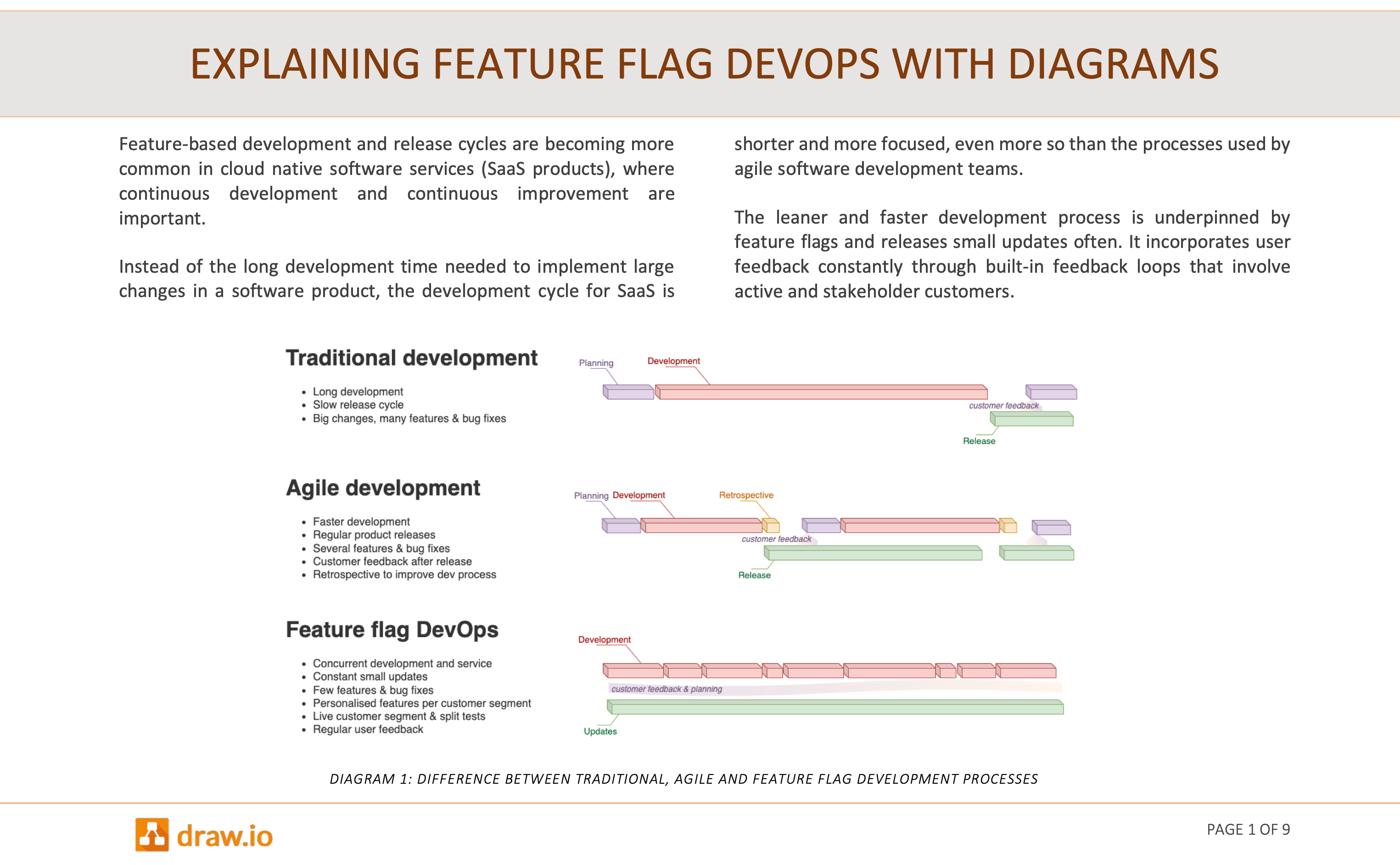
Explaining feature flag DevOps with diagrams whitepaper (PDF version)
Why are feature flags used?
When fast development, updates and releases are required by online services, feature flags make it easier to incrementally test updates, serve customised deployments, roll back when errors are encountered, and respond quickly to customer requirements.
From one deployed code base, feature flags are used toggle functionality in both the user interface and the back end on or off for specific customer segments.
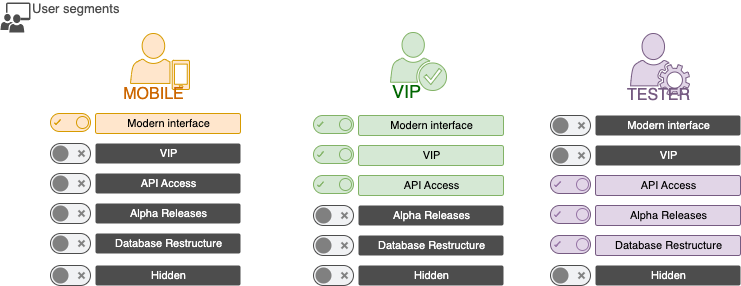
While feature flags don't change the development process overly much, they do require larger changes in the operations part of DevOps.
Explaining feature flags to stakeholders
To justify these changes, you'll need to convince stakeholders. Diagrams convey complex information clearly and reduce misunderstandings - important in discussions to justify changes to existing processes,
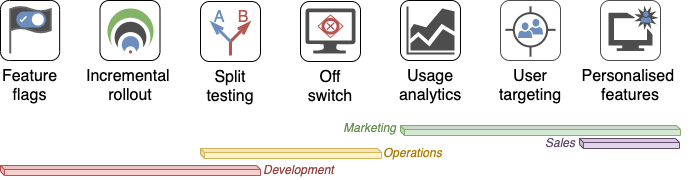
Use the diagrams in our feature flag DevOps whitepaper or follow the links from the diagrams on this page to help explain to your stakeholders what feature flags are, how they change the development process and branch structure in your GitHub repositories, and how they improve continuous development and deployment processes.
Tutorial: draw a gitflow with feature flags
To document your own devops process, follow the tutorial to draw a gitflow with feature flags.
You can draw these diagrams and many more that you need for presentations and whitepapers more quickly and neatly in draw.io than if you would use the built-in presentation, word document or content platform diagramming tools.
All of the diagrams in our whitepaper were created in draw.io, using the built-in shape libraries and icons found using search terms.