About the AI models and LLMs used for diagram generation
There are many legitimate concerns about AI models nd LLMs (Large Language Models) working with and ingesting user data. Here are answers to some of the most common questions about how draw.io works with third party LLMs to generate diagrams.
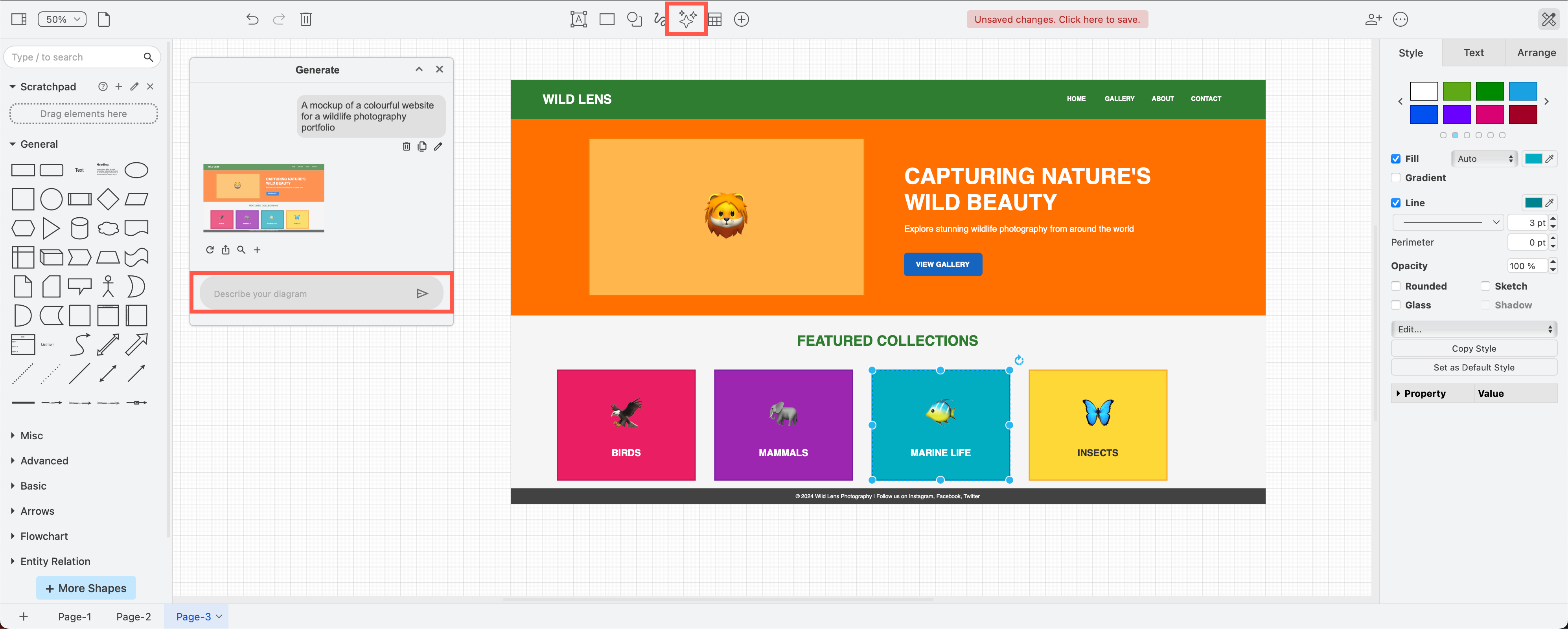
How does AI generation in draw.io work?
The AI features accept natural language prompts from users describing the diagram they wish to create. The model returns structured mxGraph XML, which draw.io renders as an editable diagram.
The AI operates solely as a diagram generation tool — it does not access, analyse, or modify existing diagrams.
The generated output (diagram) is fully transparent — it produces standard mxGraph XML that users can inspect, edit, and validate directly within draw.io or a text editor. There is no opaque or hidden processing. The user retains full control and responsibility for reviewing and accepting the generated diagram.
AI models used by draw.io
draw.io uses Anthropic's Claude model family, specifically Claude Opus, Sonnet, and Haiku, accessed via the Anthropic API.
Known limitations
As with all LLM-based generation, outputs may not fully match the user's intent on the first attempt. Diagrams may require manual refinement of structure, labelling, or layout. The feature is intended as a starting point to accelerate diagram creation, not as a replacement for user review and judgement.
Minimising copyright infringement
The AI features generate structured mxGraph XML that describes diagram elements (shapes, connections, labels, layout coordinates). This is fundamentally different from generative AI that produces text, images, or code. The generated output in draw.io is a structural data format, not creative content. Copyright infringement of diagrams via auto-generated XML is not a meaningful risk vector.
Who is responsible for checking the output?
Given the nature of the output (structured XML as opposed to a creative work), we do not anticipate any copyright violations. If a concern were to be raised, the output is fully editable and transparent — users can inspect and modify every element in the diagram themselves. The user is responsible for reviewing and accepting their generated diagrams.
Data shared with third-party providers
No. Only the user's text prompt is sent to the AI provider (Anthropic). Existing diagram data is not transmitted.
The AI feature is disabled by default in Confluence, and must be explicitly enabled per Confluence instance.
You can also disable the AI features in the online web editor via the editor configuration.
Is diagram data used for LLM training purposes?
User data is contractually excluded. We use the Anthropic API under their commercial terms, which explicitly prohibits them using API inputs or outputs for model training.
Commercial API terms of service
AI features are provided via the Anthropic API under their commercial API terms of service. These terms include zero-training commitments on inputs and outputs, and Anthropic's data retention policy for API usage is limited to safety evaluation purposes with a maximum 30-day retention window.
Related
- See how to write good queries to generate better AI diagrams
- Use the draw.io MCP server to allow supporting AI models to embed generated diagrams in chats, import Mermaid or CSV data, export to various formats, or open diagrams directly in draw.io.