Style your diagram
You can style shapes, connectors and text labels in many ways.
Most of these options are available in the Style tab and the Text tab in the format panel, typically to the right of the drawing canvas.
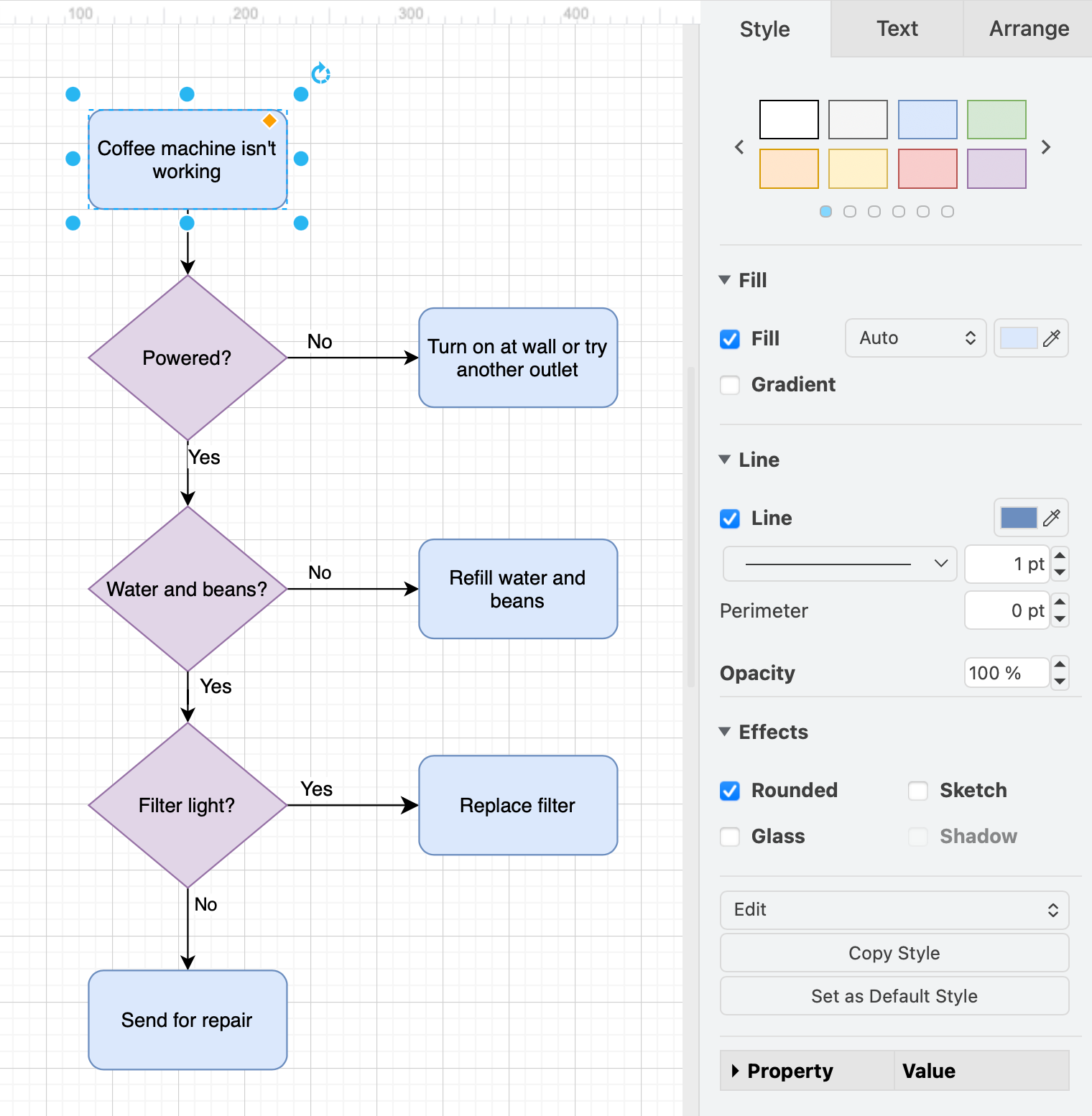
Here, you can change colours, outline thickness and fill patterns, corner styles, connector ends, connector paths, animations and line styles, fonts and text alignment and much more.
Enable the format panel:
- Press the keyboard shortcut
Ctrl+Shift+Pon Windows orCmd+Shift+Pon MacOS. - Select View > Format from the menu.
- Click on the panel icon to the left or right of the toolbar and select Format.
- Select Format from the Sketch online editor theme menu.
Shape styles
- See how to work with shape styles.
- Edit the colours of embedded SVG images.
Connector styles
- See the available connector styles.
- Animate connectors using various styles to show flow direction.
- Disable the animations to diagram without distractions.
Label and text styles
- See how to work with text styles.
Global style options
- Apply custom shadows to shapes, connectors and text.
- Use the handdrawn rough sketch or comic style.
- Set a global style for all shapes and connectors.
- Set and reset default styles for shapes, connectors or text.
Related
Custom links: You can toggle or set styles to animate or change whenever a custom link on a shape in your diagram is clicked on or a page animation is played in the lightbox viewer or presentation mode. These are by default transient style changes - they do not change the underlying shape style and will reset when you next load the diagram file or Reset the animation in the action editor dialog. To trigger a permanent style change via a custom link, see how to apply a legacy persistent flag to the custom link action.