Add draw.io diagrams and boards to monday.com
monday.com is a work management platform. The draw.io app adds diagrams and online whiteboards to your monday.com boards, items, dashboards and workspaces. Your diagrams are stored in your monday.com account, so you don't need a draw.io account.
Note: The draw.io app is awaiting approval for the monday.com marketplace. Until then, install it with the installer link.
The draw.io app has the same shape libraries, templates and tools as the draw.io editor at app.diagrams.net.
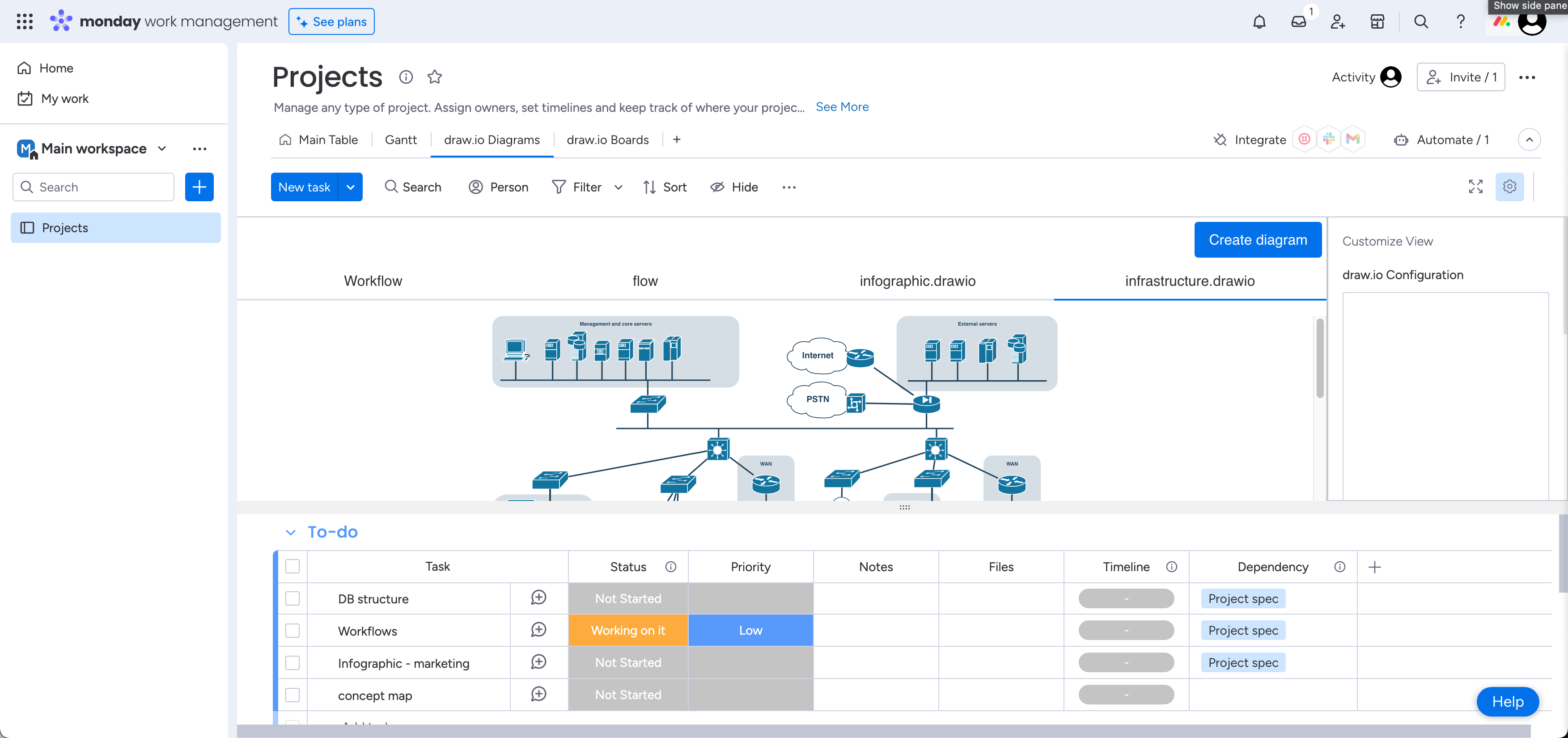
Choose draw.io Diagrams or draw.io Boards
You choose one of two styles each time you add the app to monday.com.
- draw.io Diagrams: The full draw.io editor, with the shapes panel, format panel, toolbar and menu. Choose this for flowcharts, architecture and network diagrams, org charts, UML, ER and BPMN diagrams. A new diagram starts from a template or a blank diagram.
- draw.io Boards: An online whiteboard in the Sketch theme, with a clutter-free interface and the maximum area for the drawing canvas. Choose this to plan, brainstorm or track projects visually with your team. A new board starts on a blank canvas.
Add draw.io to various Monday views
- Board view: A tab on a board, next to Main Table. It holds any number of diagrams, each in its own tab.
- Item view: A tab in the item card. Every item of the board shows the same diagrams.
- Dashboard widget: One diagram on a dashboard, always in view.
- Workspace object: A space for diagrams in the left pane of a workspace, next to your boards and docs.
Each place keeps its own diagrams. Add draw.io to a board, item, dashboard or workspace
Watch the demo
The demo of draw.io in monday.com shows the main tasks step by step: add the app to a board, create a diagram, edit it together, and view it on boards, dashboards and items.
Store your diagrams directly in Monday
- Storage: Diagrams are stored in the monday.com app storage of the board view, item view, dashboard widget or workspace object they were created in.
- Versions: Only the latest version of a diagram is kept. There is no revision history.
- Size: Large images pasted into diagrams may go over the 6 MB file size limit.
- Permissions: The app only reads your own monday.com profile, your name and photo, so that collaborators can see who is editing. It doesn't read your boards, your items or the profiles of other people.
- Collaboration: When you edit a diagram together, the changes are sent through the draw.io realtime service, encrypted for each diagram.
- Theme and language: The diagram viewer and the editor use your monday.com theme and language.