Manually edit the XML source of your draw.io diagram
The shapes, connectors, styles, and metadata in your diagram, and even which shape libraries are currently displayed, are all described in XML code. The Edit Diagram dialog lets you view and edit the raw XML of the current page directly. This is useful for advanced editing, debugging, or applying changes that aren't easily made through the regular editor.
Tip: Review how to define a new custom shape, to see how the shapes in your diagram are defined in XML.
Open the Edit Diagram dialog
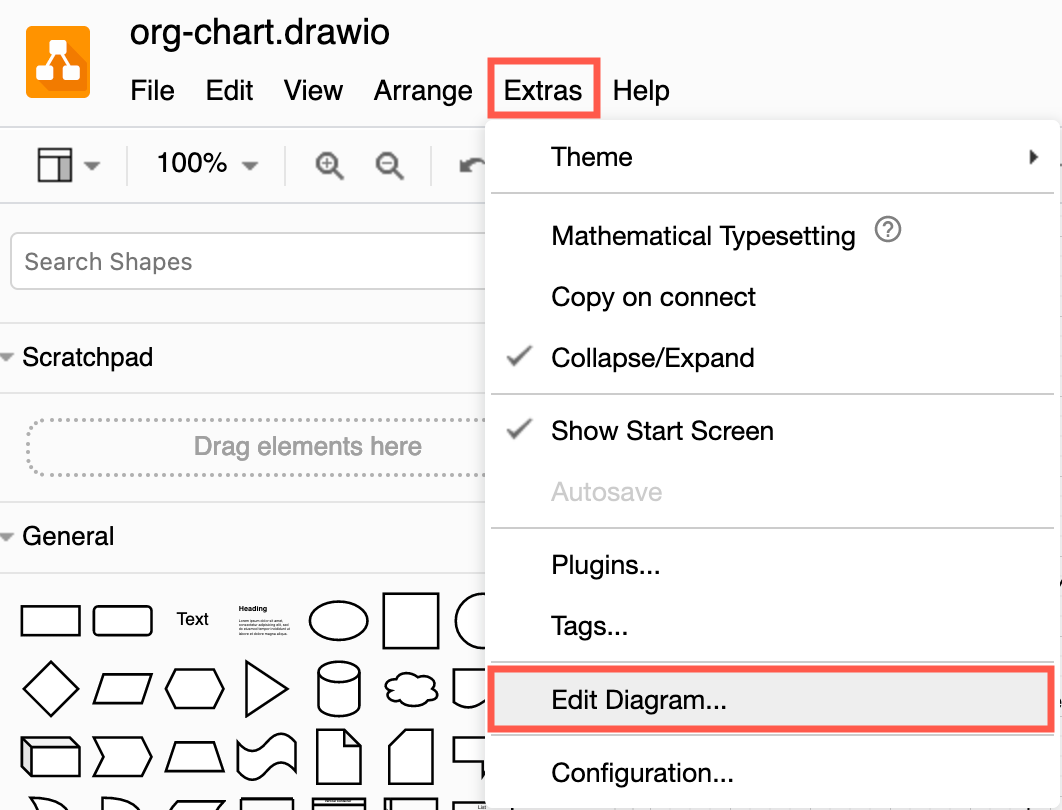
Select Extras > Edit Diagram from the draw.io menu to see the XML source of the page you are currently viewing, which starts and ends with the <mxGraphModel> tags.
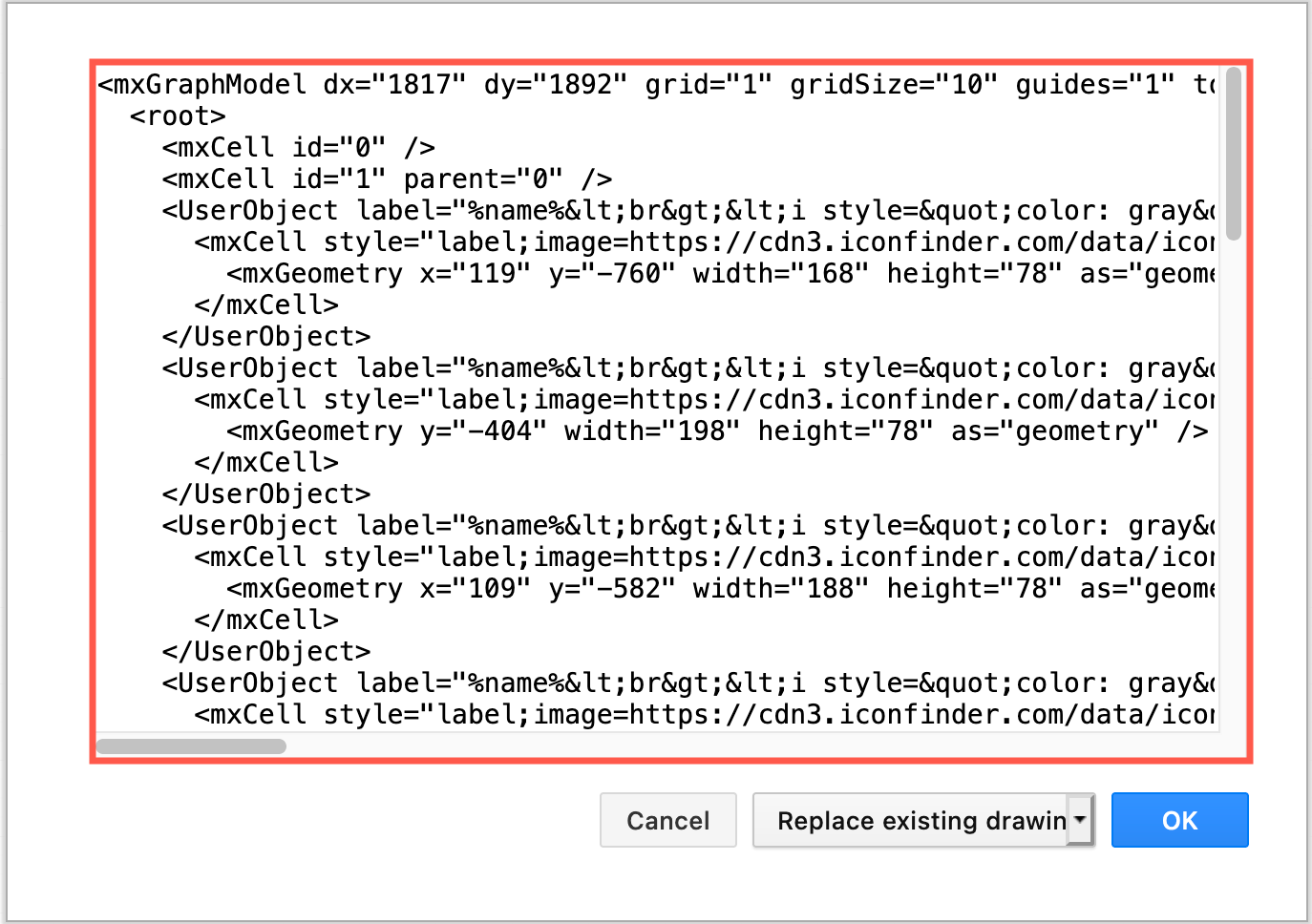
You can edit the XML by hand to add or remove elements, restyle shapes and connectors, modify layers, edit shape metadata, set global diagram options, and more. You can also drop a .drawio or .xml file onto the textarea to replace its contents. You may find it easier to copy all of the XML code into an external editor with contextual highlighting.
Apply
Press the Apply button to replace the current page with the XML in the textarea. The dialog closes once the change is applied. If the XML is invalid, an error message is shown and the page is left unchanged.
Select…
The dropdown next to the Apply button offers four actions that operate on the XML in the textarea:
- Copy Diagram to Clipboard — Copies the XML text in the textarea to the system clipboard so you can paste it into another file, message, or tool. A short Copied to clipboard confirmation is shown.
- Open in New Window — Opens the XML in the textarea as a new diagram in a separate browser window, leaving the current diagram untouched.
- Extract Text — Collects all user-written text (cell labels, sticky notes, annotations) from the diagram XML and shows it as a single block of plain text in a new dialog. Useful for spell-checking, translating, or copying labels in bulk.
- Anonymize — Replaces all labels, user-data attributes and page names in the XML with random characters of the same shape (letters → random letters, digits → random digits). Styles, geometry and structure are preserved. The anonymized XML replaces the textarea content; nothing is applied to the diagram until you press Apply. This is the recommended way to share a diagram for support purposes without exposing confidential text.
Cancel
Click Cancel to close the dialog without making any changes to the diagram.