Apply a new global style
Instead of styling all of the shapes and connectors in your diagram individually, you can apply colour schemes to your entire diagram.
These global style schemes will be applied to shapes, text, connectors, the diagram's background colour and grid.
- Select the Style tab in the format panel when nothing is selected in your diagram.
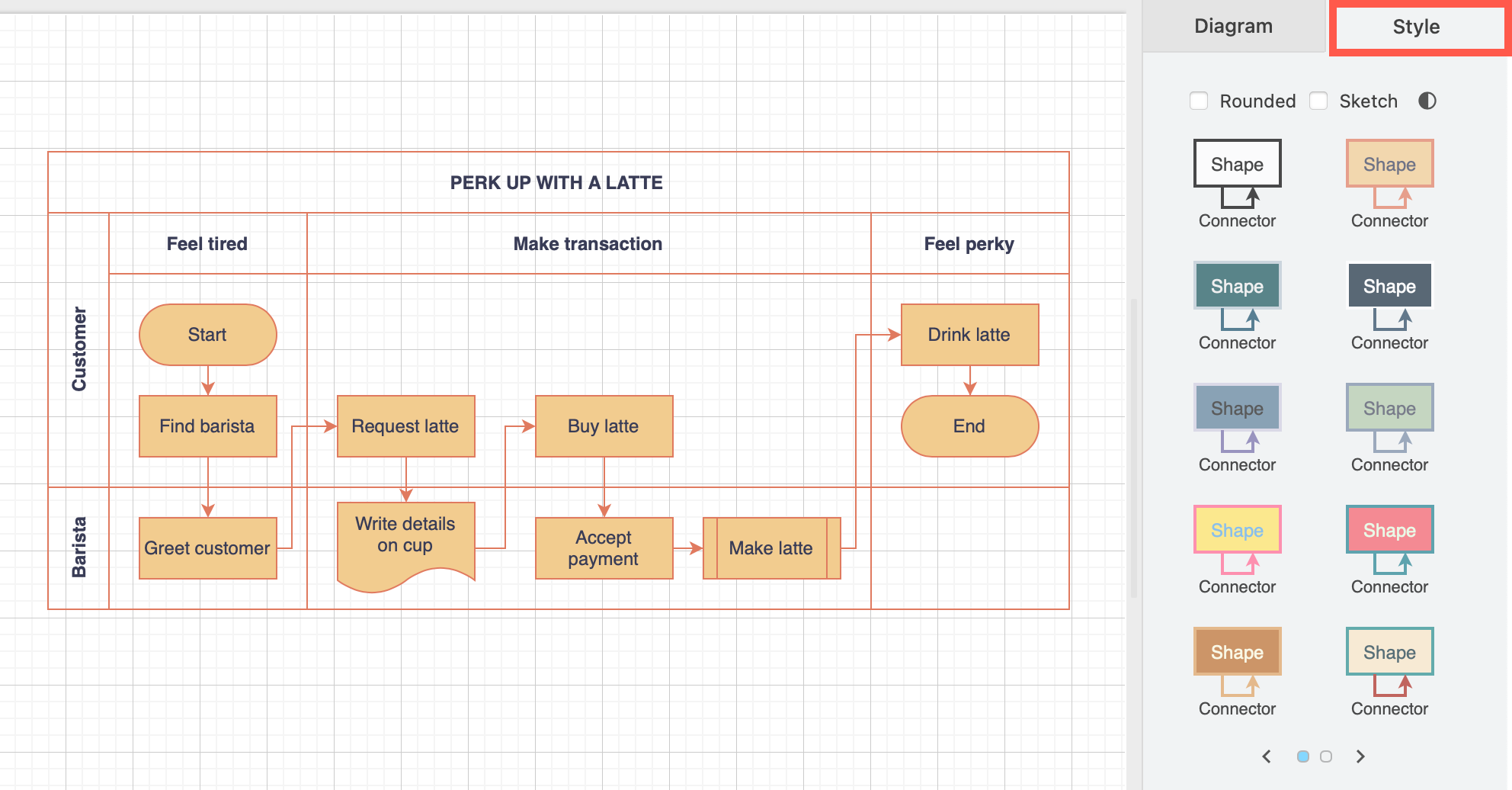
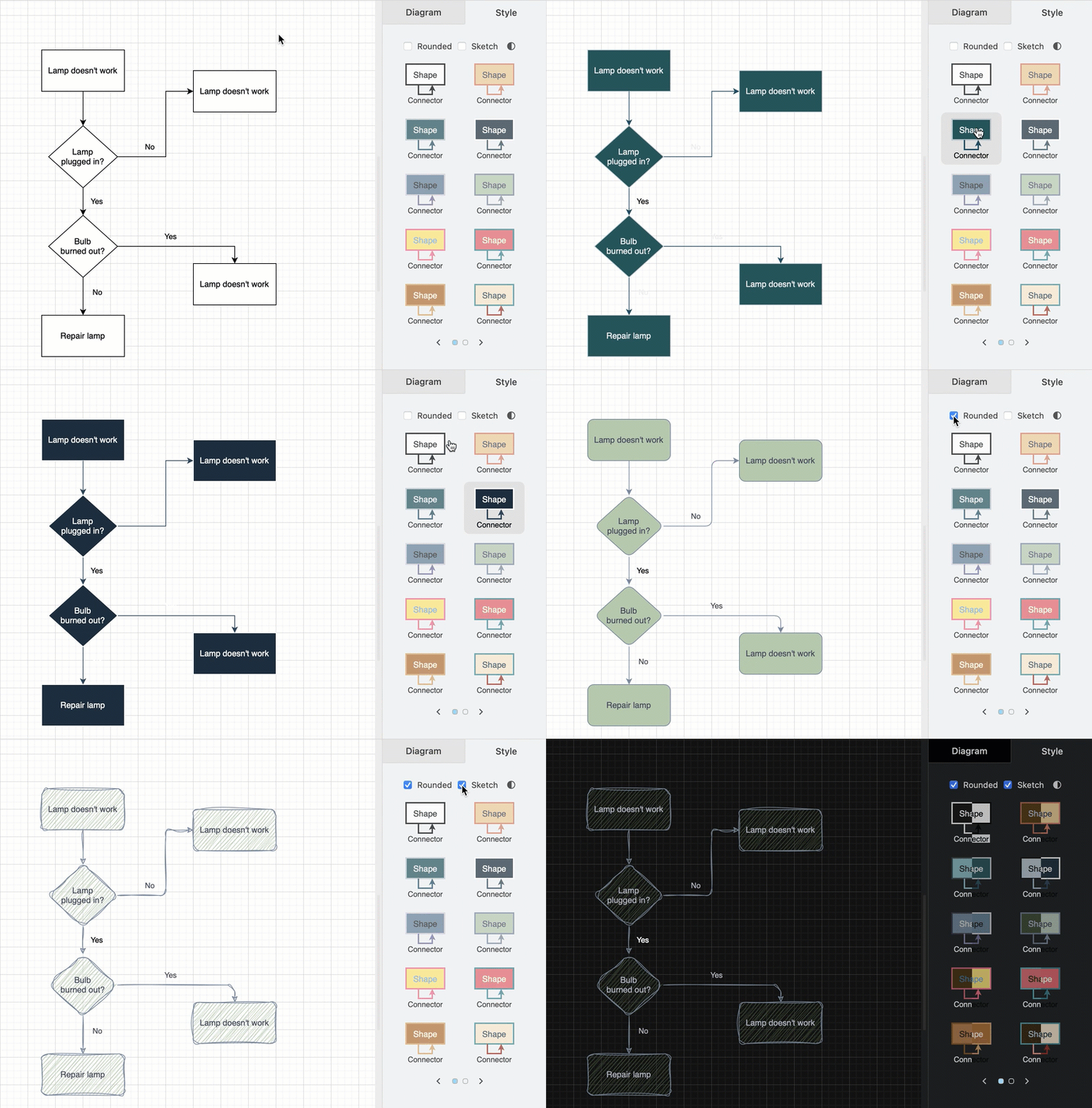
- Choose from one of the schemes (over two pages) to update the styles of the diagram background as well as all shapes and connectors in one click. Hover over the style to see a preview.
- Select Rounded to round the corners of all rectangles and the bends of connectors, or apply the rough Sketch style.
Tip: Click the dark/light icon to switch the editor quickly between dark and light mode.
Reset the global style
Select the top left style in the global style palette to reset all Style options to the default of black lines and white fill.