Test your Gliffy import before you migrate

The mass import tool that converts Gliffy diagrams into draw.io diagrams in Confluence Cloud now has a dry run. Test the conversion of every Gliffy diagram in your site, review the results, then run the import when you are happy with them.
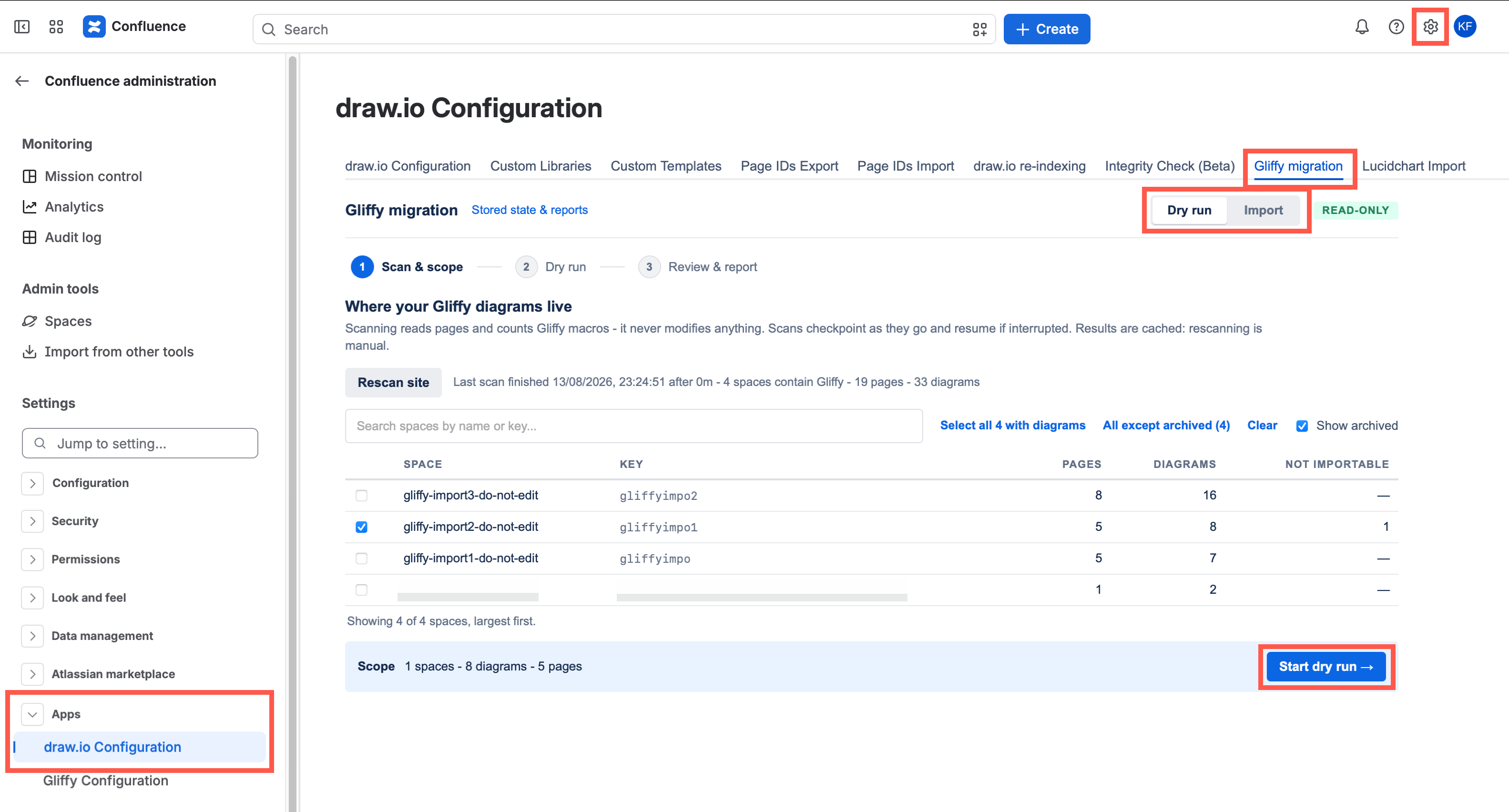
- Dry run and Import are separate tabs, tagged Read-only and Writes to pages, so you always know what the tool will do.
- Scan site finds which spaces contain Gliffy diagrams, and you select which of those you want to test and migrate.
- A new Review & report step lets you compare converted diagrams with the Gliffy previews and rate them.
- The import can hold back the diagrams you rated as having Major differences.
- Logs, permission problems and conversion reports are saved on the Gliffy migration page in the draw.io Configuration space.
Test before you convert
A dry run converts the Gliffy diagrams in the spaces you select, without changing any page or diagram content. Problems with conversion, page state and permissions are listed under the progress bar when the run finishes.
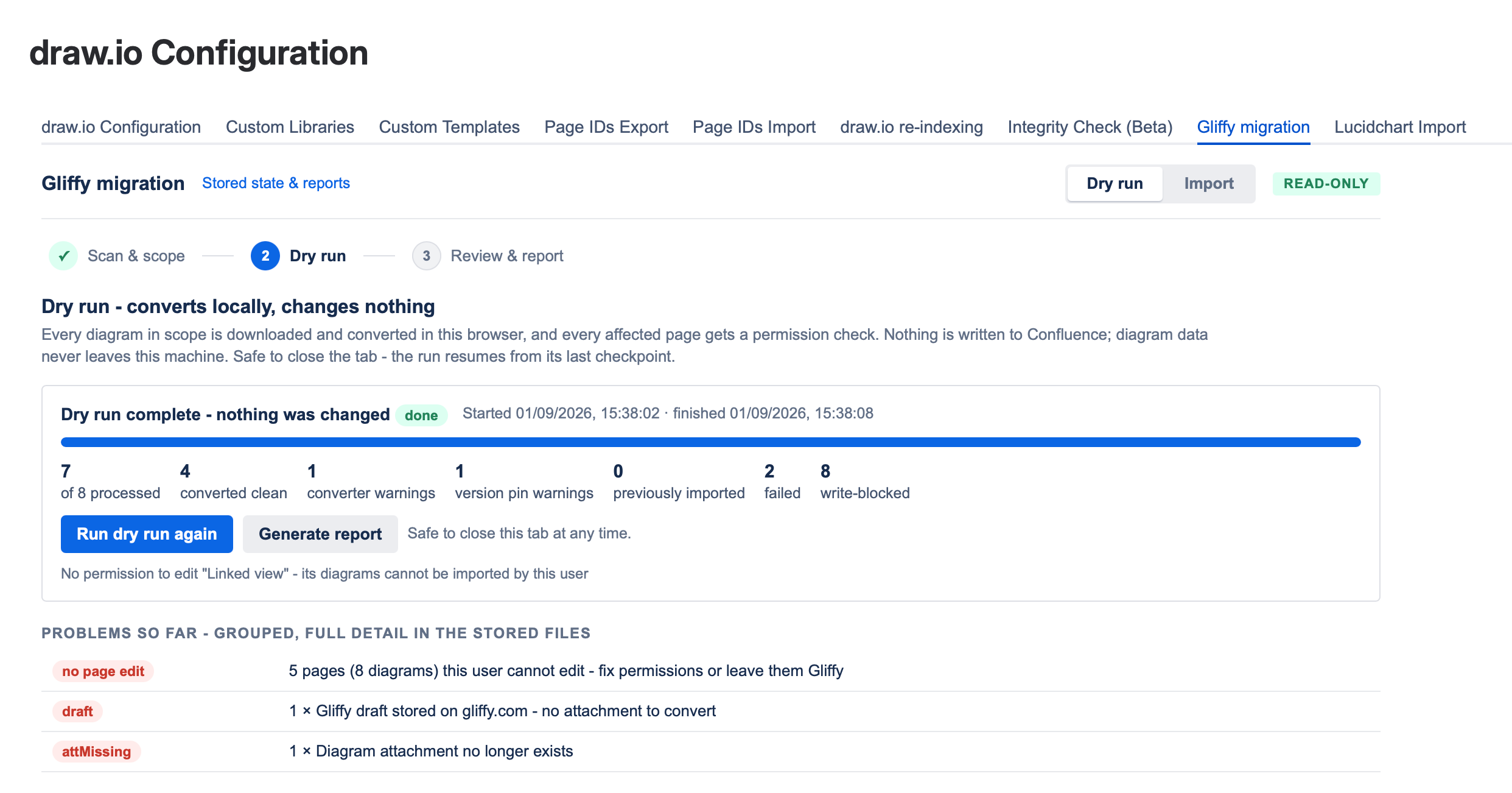
Note: The diagrams are converted in your browser. You can close the tab at any time - the dry run or import stops at its last checkpoint, and Resume from checkpoint continues it when you come back.
Review a sample of the conversions
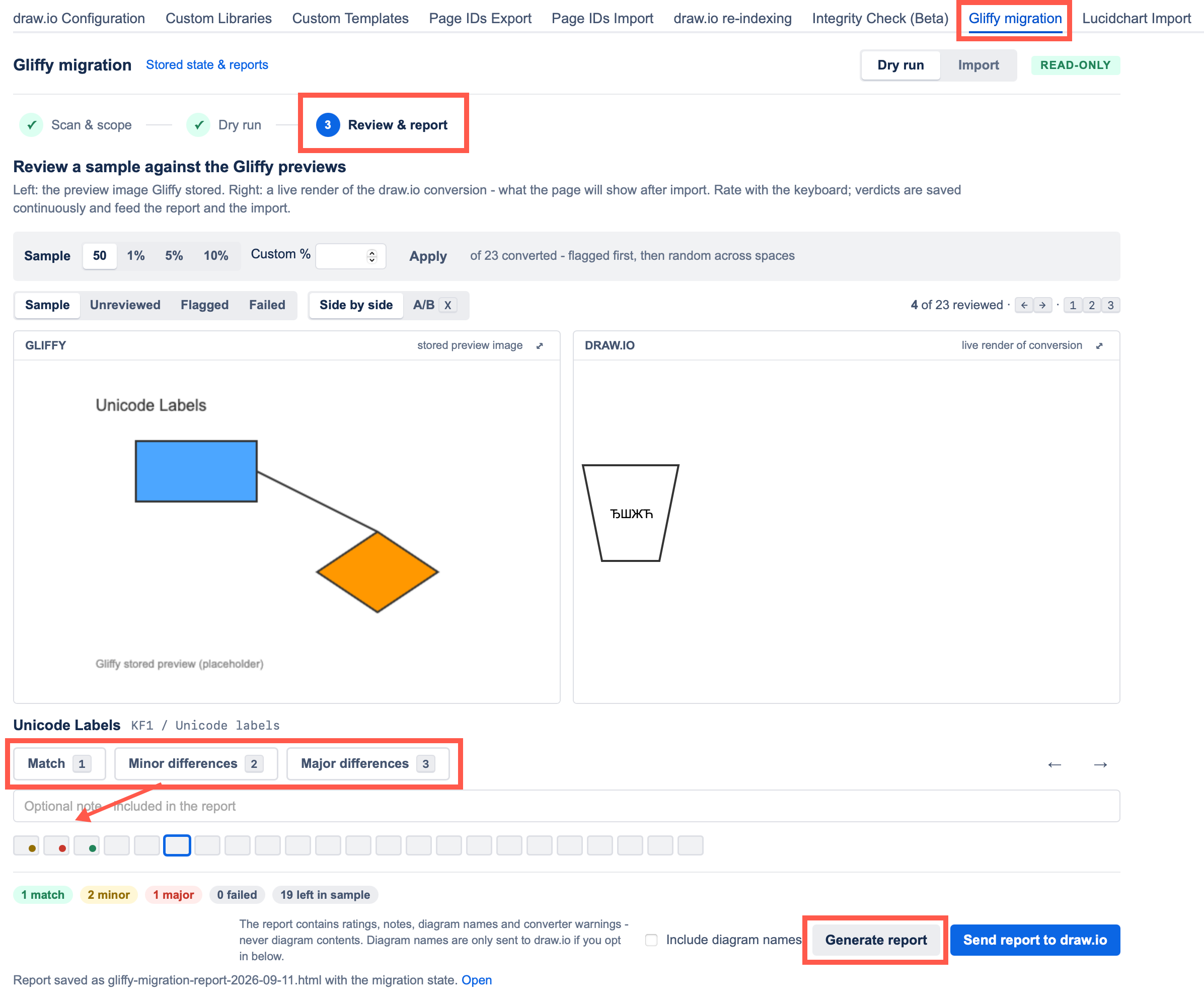
The Review & report step picks a sample of the diagrams converted during the dry run, with the diagrams that have converter warnings first. Change the sample size, or filter to the Unreviewed, Flagged or Failed diagrams.
Step through the diagrams and rate each one and add notes where necessary. Click Generate report to save the report to the draw.io Configuration space, or Send report to draw.io if our support team has asked you for it.
Run the import
Select the Import tab to convert the diagrams from the latest dry run. Import everything that converted, or hold back the diagrams you rated as having Major differences.
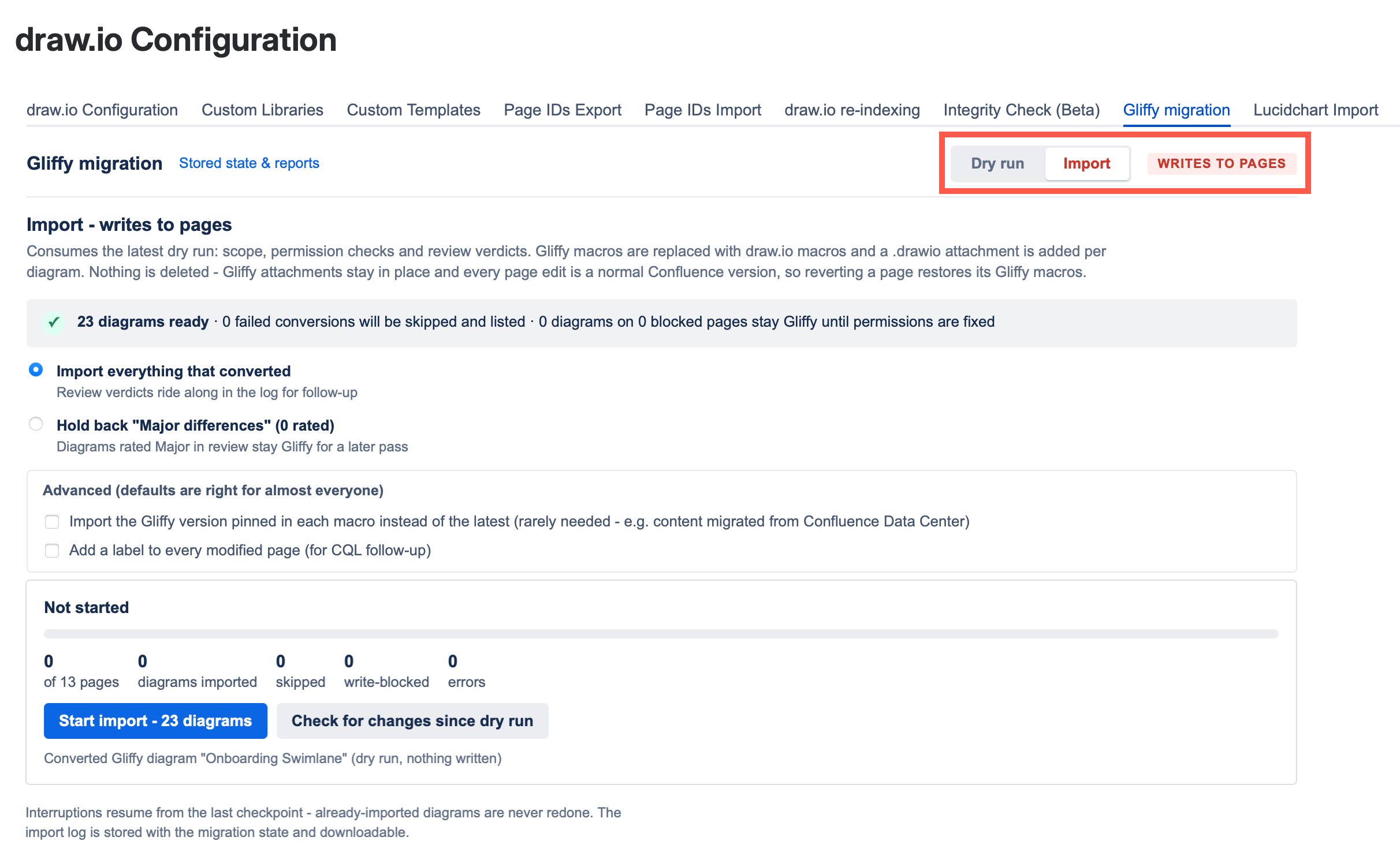
No Gliffy data is deleted - each Gliffy macro is replaced with a draw.io Diagram macro in a new Confluence page version, and the original Gliffy attachment stays on the page. Roll back to an earlier page version to restore the original diagram.
Find the logs
Logs and reports for every dry run and import are attached to the Gliffy migration page in the draw.io Configuration space. Click Stored state & reports in the Gliffy migration tab to open it.
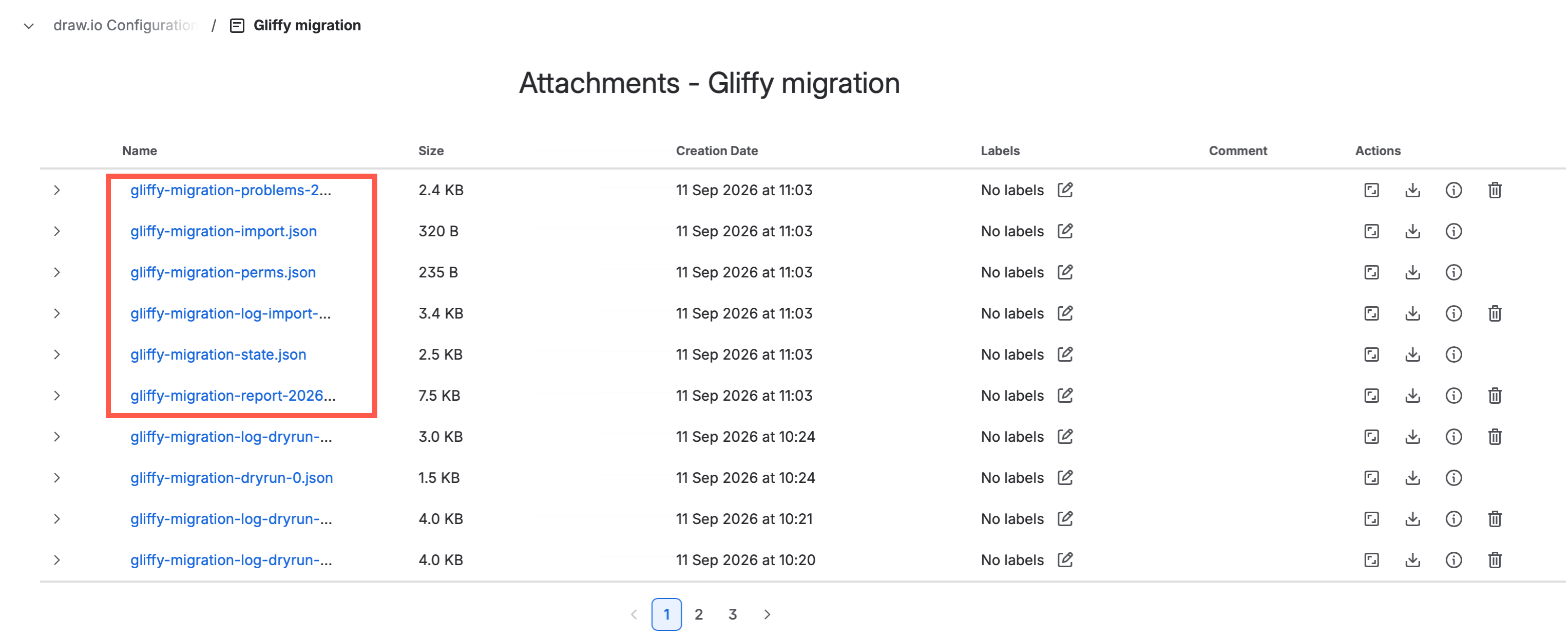
The logs of dry runs are named gliffy-migration-log-dryrun-…, and the logs of imports gliffy-migration-log-import-…. Permission problems are listed in gliffy-migration-perms.json, conversion issues in gliffy-migration-problems-year-month-day.csv, and links to the affected pages in gliffy-migration-report-year-month-day.html.
Related
- See how Gliffy and draw.io differ.
- Compare the draw.io app editions for Confluence Cloud, including Zero Egress.