draw.io Diagram Editor for SharePoint is in the Microsoft Marketplace

draw.io Diagram Editor, the draw.io app for SharePoint, is now available free in the Microsoft Marketplace. It adds a draw.io web part to your modern SharePoint pages, so readers see your diagrams inline and page authors edit them in place, without leaving SharePoint.
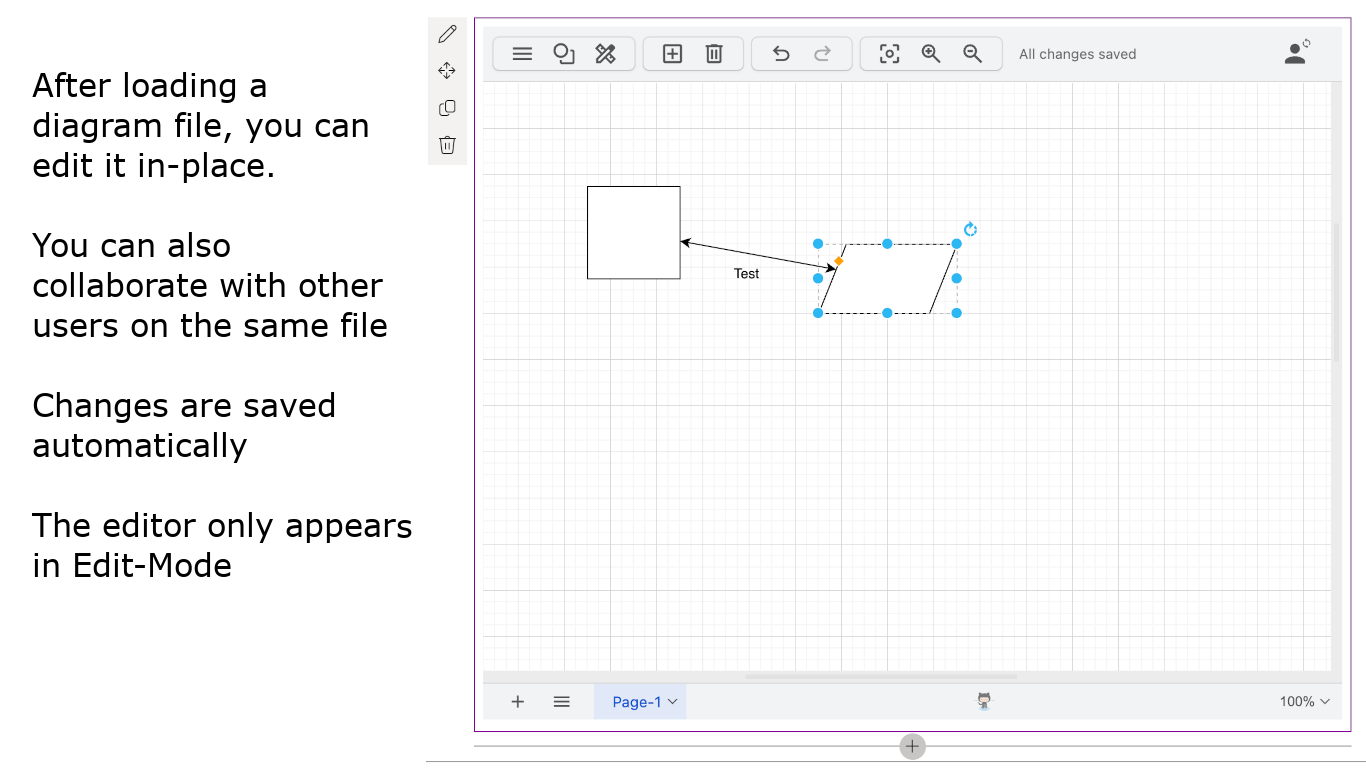
- Pick any
.drawiofile from your SharePoint document libraries, or create a new blank diagram in the folder you choose. - Visitors to a published page see the diagram with tools to zoom and step through its pages. In page edit mode, the full draw.io editor opens inside the web part.
- Changes are saved automatically, and several people can edit the same diagram at the same time.
- Diagrams are ordinary files in your libraries, so SharePoint versioning, permissions, sharing and retention apply to them as to any other document.
- Sign in once with your Microsoft 365 account. There is no draw.io account, registration or licence key.
- Point the web part at your own draw.io server instead of app.diagrams.net if you self-host draw.io.
Your data stays in your tenant. The editor runs in your browser and reads and writes diagram files through Microsoft Graph with your own permissions. draw.io servers never store your diagram content.
Get draw.io Diagram Editor
A SharePoint administrator installs the app once for your organisation: add it from the Marketplace or the SharePoint Store, and approve its Microsoft Graph permission on the API access page in the SharePoint admin center. Site owners and page authors can then add the draw.io web part to their pages.