draw.io Diagrams agent for Rovo in Confluence Cloud

The draw.io Diagrams agent for Rovo is now available with draw.io for Atlassian Confluence Cloud 7.1 and draw.io Zero Egress 6.1.
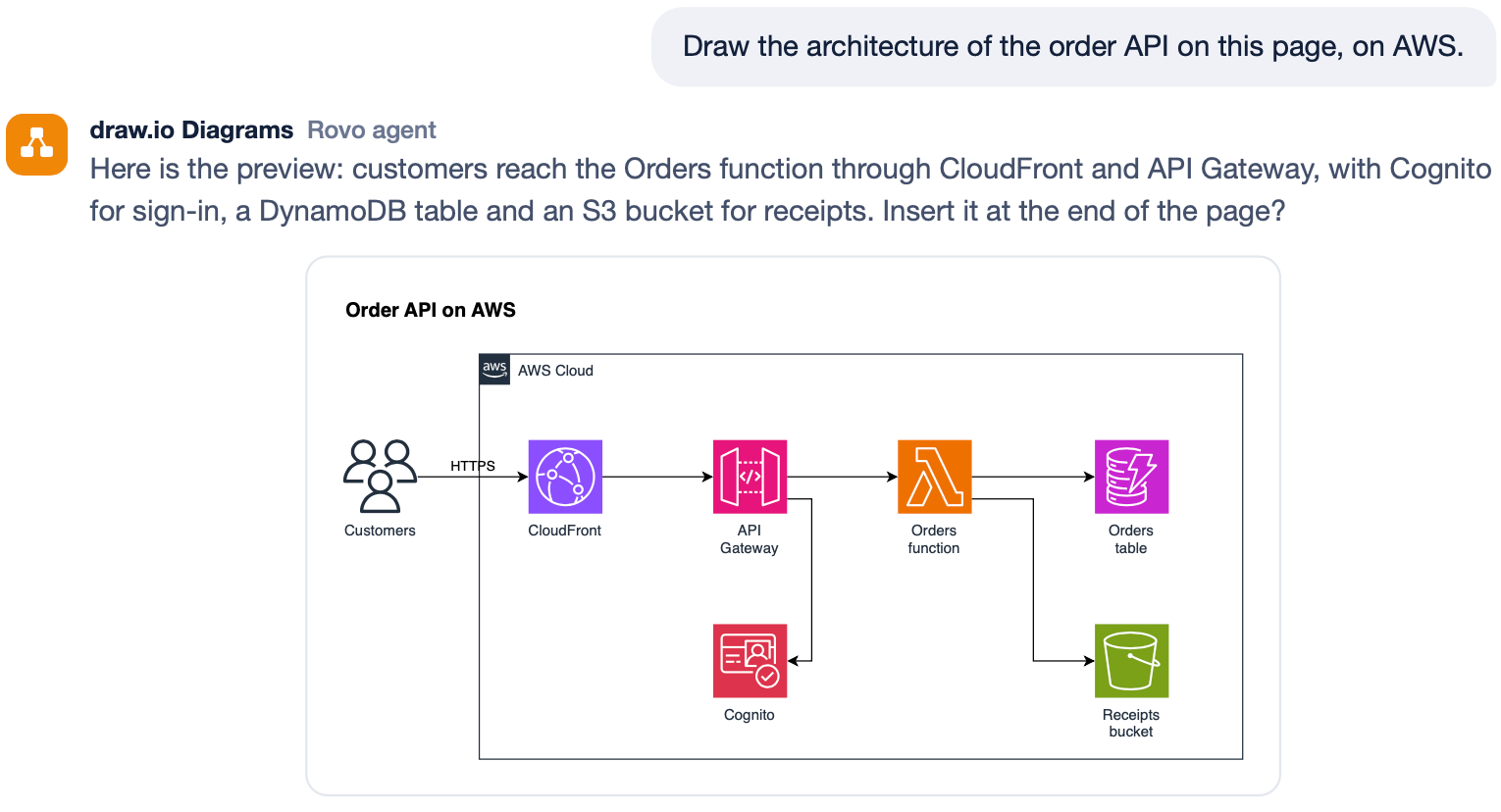
Ask Rovo to draw a diagram
- Open a Rovo chat in Confluence and select the draw.io Diagrams agent.
- Ask Rovo to generate a diagram based on a description, on the page you are looking at, from a template, or from a photo of your whiteboard meeting notes.
- Review the preview Rovo shows you in the chat. If you need changes, ask Rovo to make them.
- When you are satisfied, ask Rovo to save the diagram to the page.
The diagram will be inserted into the page and a new page version will be saved.
The draw.io Diagrams agent and Rovo can draw every kind of diagram you need: UML, flowcharts, business diagrams, org charts, network diagrams, mockups, infographics, floorplans, timelines, project planning diagrams, and all supported Mermaid types.
See our gallery of technical diagram examples and use cases.
Do more with the draw.io Diagrams agent in Rovo
Generate real editable diagrams: The agent uses real draw.io shapes, including your company's own custom library shapes. You can edit and style any generated diagram as if it were drawn from scratch inside the draw.io editor.
This makes it easy and fast to draw a wide range of diagrams using standardised icon sets such as AWS, GCP, BPMN, UML and more. draw.io has more than 10,000 shapes across many different technical fields.
Turn a photo into a diagram: Ask Rovo to turn a photo of a whiteboard brainstorming session or a sketch in meeting notes into an editable draw.io diagram that follows your company's style.
Edit diagrams: Ask Rovo to edit any diagram, without regenerating it. Add shapes, change the style, reroute connectors, or improve the layout. Preview the changes, then tell Rovo to save your changes, and the diagram on the page will be updated and a new page version saved.
This works for all existing diagrams, as well as newly generated diagrams in the Rovo chat.
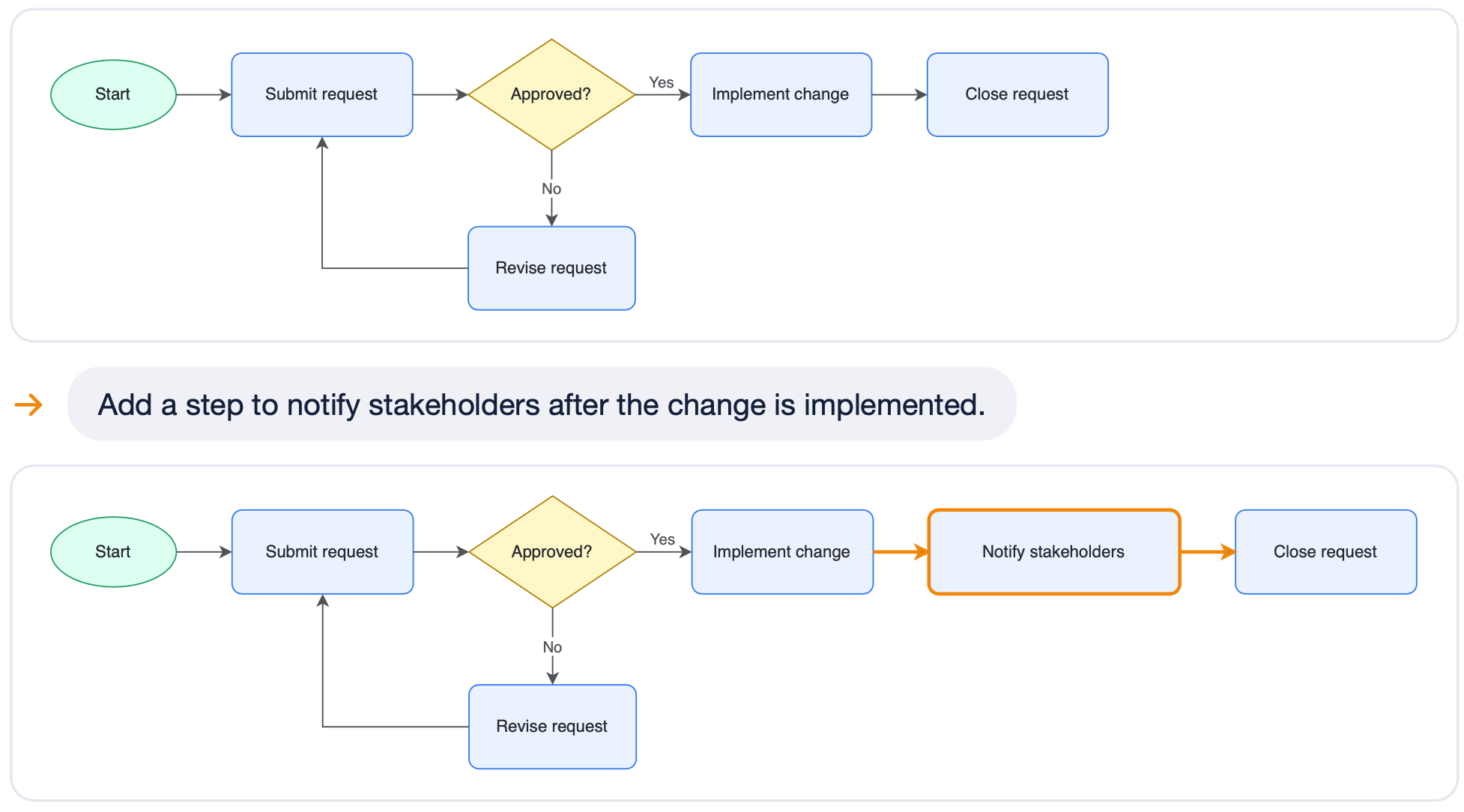
Changes to diagrams will not overwrite changes made by another person editing the same diagram. Rovo will ask you to manually confirm before it replaces a layout or style that was set by a person in the draw.io editor.
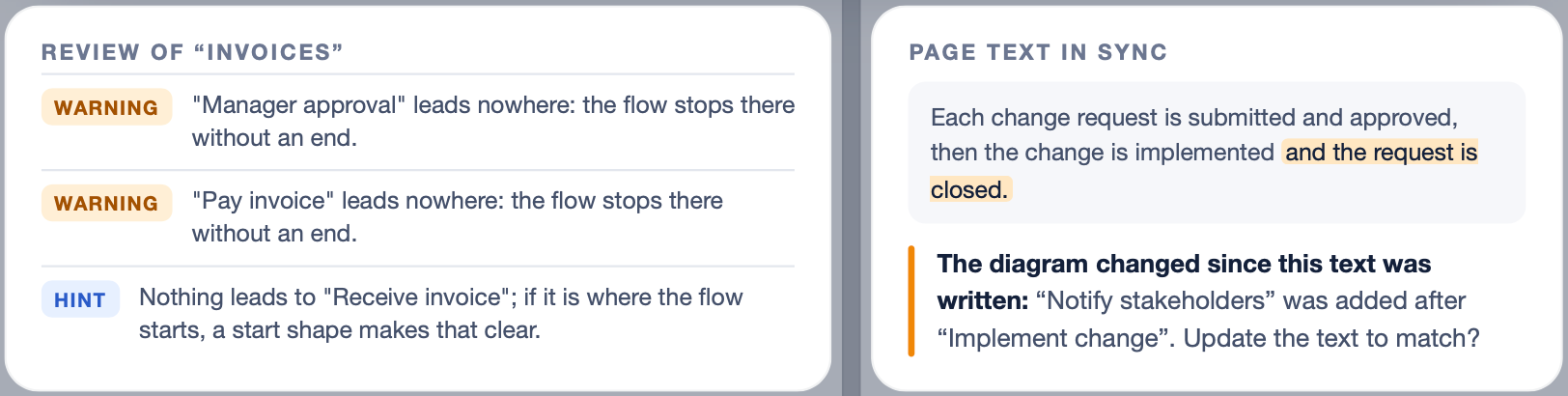
Check that diagrams are correct: Rovo can use the agent to analyse whether existing diagrams make sense. It will flag flows that have no obvious start or that end abruptly. It will highlight when there are missing outcomes, unattached connectors, or unlabelled branches. Rovo will also point out style issues, noting where there are layout issues or colour contrast problems.
Keep related diagrams consistent: Where you have a set of related diagrams on a page, when you change a common system name or workflow step in one of the diagrams, ask Rovo to update it in all the others.
Synchronise diagrams and page content: Rovo and the draw.io Diagrams agent can keep the text they write on the Confluence page synchronised with the diagram and vice versa. Rovo will warn you when one is out of date, and ask whether you want to update the text or the diagram.
Translate diagrams automatically: Ask Rovo and the draw.io Diagrams agent to translate diagrams into a target language and the additional label text and shape properties will be automatically added for that language. Readers will see their language when translateDiagrams is turned on in the draw.io configuration.
Apply a consistent style to all new diagrams: Tell Rovo to use one diagram's style for all new diagrams in a space and the new diagrams Rovo draws will use this style automatically in both dark and light mode.
Keep your diagram data inside Atlassian
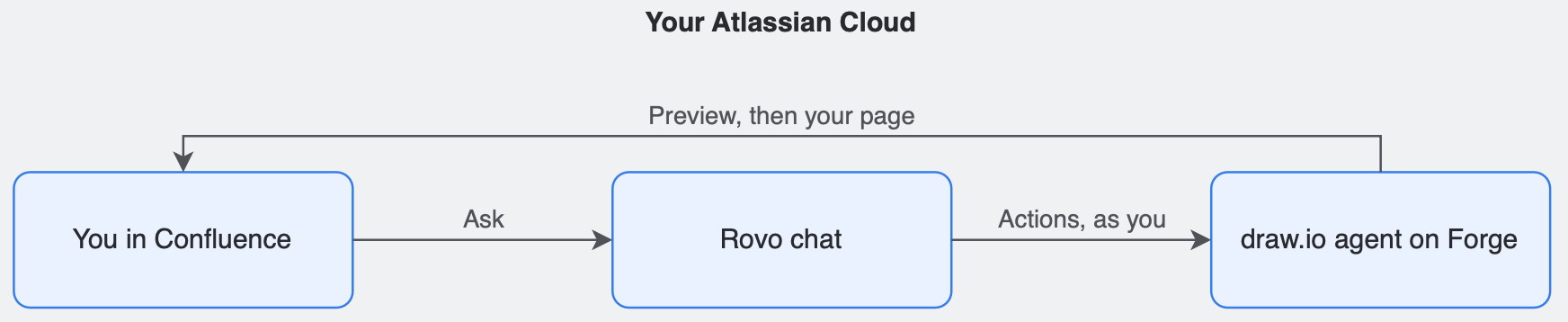
Secure AI diagrams: The draw.io Diagrams agent is built on Forge and runs fully inside Atlassian's own platform. This keeps page content and diagrams private between the user and your Confluence instance inside your organisation's secure Atlassian Cloud. The agent respects permissions and will only open and edit the pages and diagrams that you can open and edit.
No data leaves Atlassian: The standard draw.io app for Confluence Cloud uses the same agent as draw.io Zero Egress. The draw.io Diagrams agent does not send data outside Atlassian in either version.
Go further: teach Rovo to be an expert
Add custom knowledge and configure Rovo's knowledge scope with instructions, and add skills to control precisely how it should use the draw.io Diagrams agent to create, style, edit and review draw.io diagrams in your Confluence space.
- Specify how broadly the text-diagram synchronisation warnings should apply, and which diagrams or diagram types should be reviewed and kept consistent.
- Detail which languages various types of diagrams should be translated into.
- Set different consistent styles and shape libraries for different types of diagrams.
- Add your specific quality assurance rules for checking that various types of diagrams are complete and correct.
Related
- Learn more about the draw.io Zero Egress app for Confluence.
- See how to set up custom libraries in Confluence Cloud and limit each custom library to specific user groups if necessary.
- See how to configure the draw.io app to use your company's corporate style.