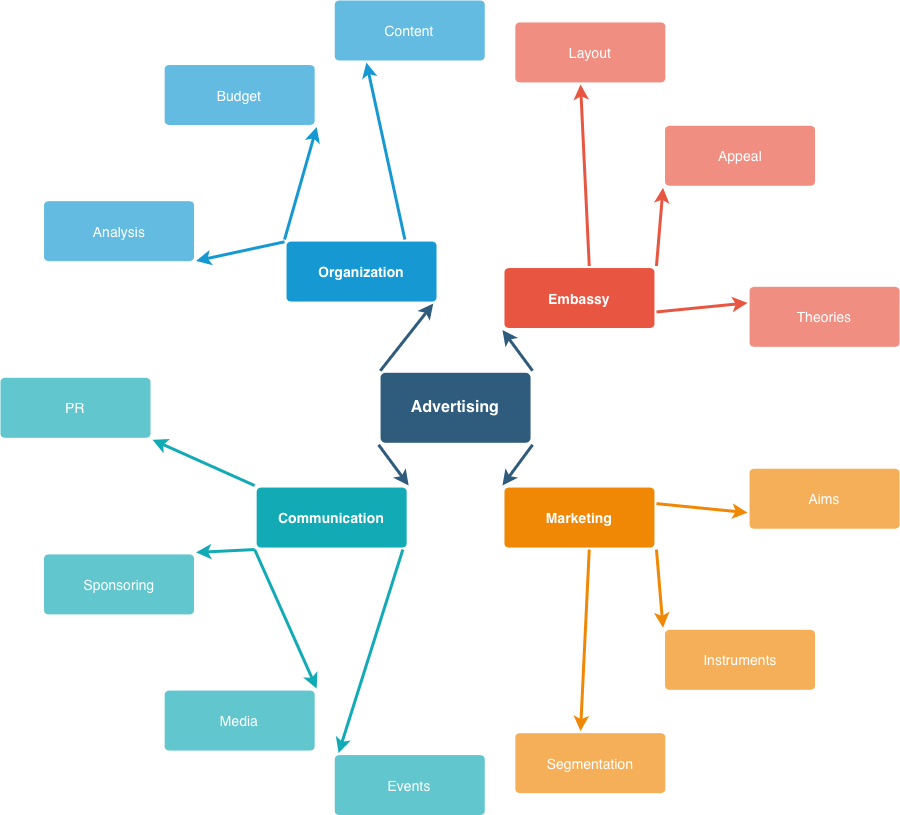
Radial tree layout
Select Arrange → Layout → Radial Tree to place a root shape at the center, and arrange all other shapes in rings around the root shape, ring by ring according to their distance from the root.
Radial tree layouts are useful for mindmaps and concept maps, network maps, and any type of diagram that has one central root node.
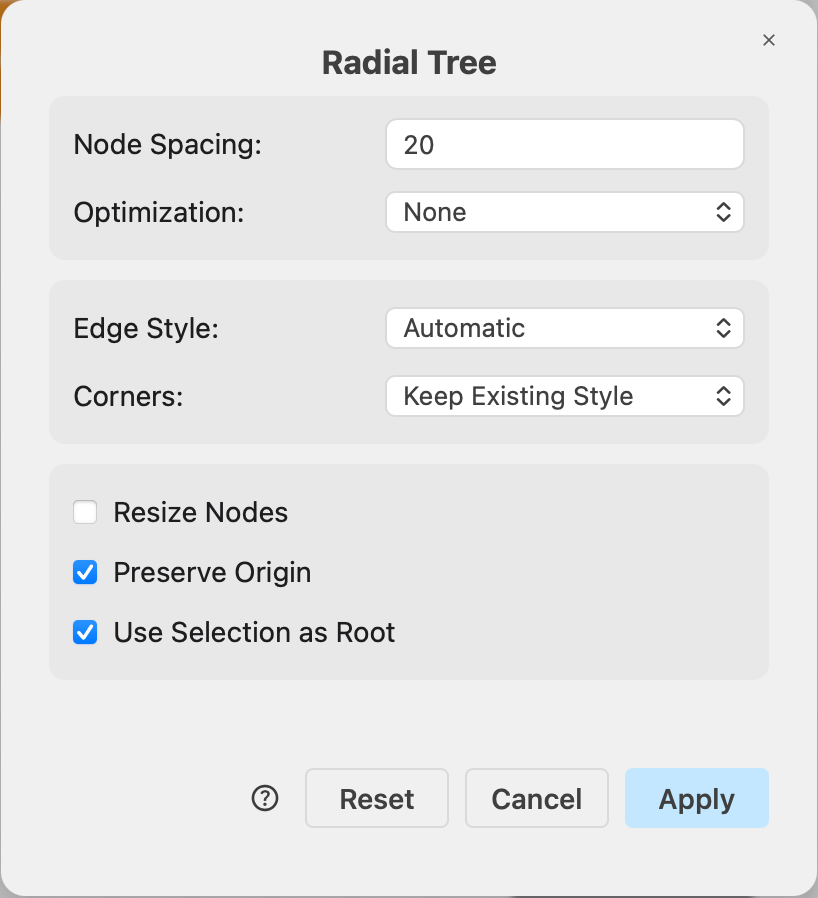
Radial tree layout options
Node Spacing (default 20) — the minimum distance in pixels between shapes.
Optimization — after the initial placement, shapes can be rotated around their rings to improve a chosen criterion:
- None (default) — keep the initial placement. Fastest.
- Edge Length — minimize the length of the connectors leaving the centre.
- Edge Length by Position — minimize the overall connector length, evaluated from the positions of all shapes.
- Crossing Minimization — reduce the number of connector crossings.
By default the layout picks the root. To centre the diagram on a particular shape, select that shape before opening the layout dialog and enable Use Selection as Root.
See more about the common layout options, available to all layout types.
Example radial tree layout
The radial tree layout was applied to an concept map template from the draw.io template library. The root note is placed in the center of all the shapes by default.