Encode a diagram in a URL
You can export your diagram data as a specially formatted URL. When someone clicks on this link, it opens a new copy of the diagram either in the draw.io viewer or editor, depending on the export options you selected.
Note: Your diagram is not stored as a file when exporting to a URL - the data is purely encoded in the link, and that link is always valid. Once you have shared that link with someone, you can't revoke access, unlike access to a diagram file on a cloud storage platform.
Very large diagrams may not be able to be loaded from an overly long URL as browsers have varying limits on the length of URLs they accept. If this happens, use Google Drive to store your diagram - and publish the diagram publicly from Google Drive for a shorter and neater URL.
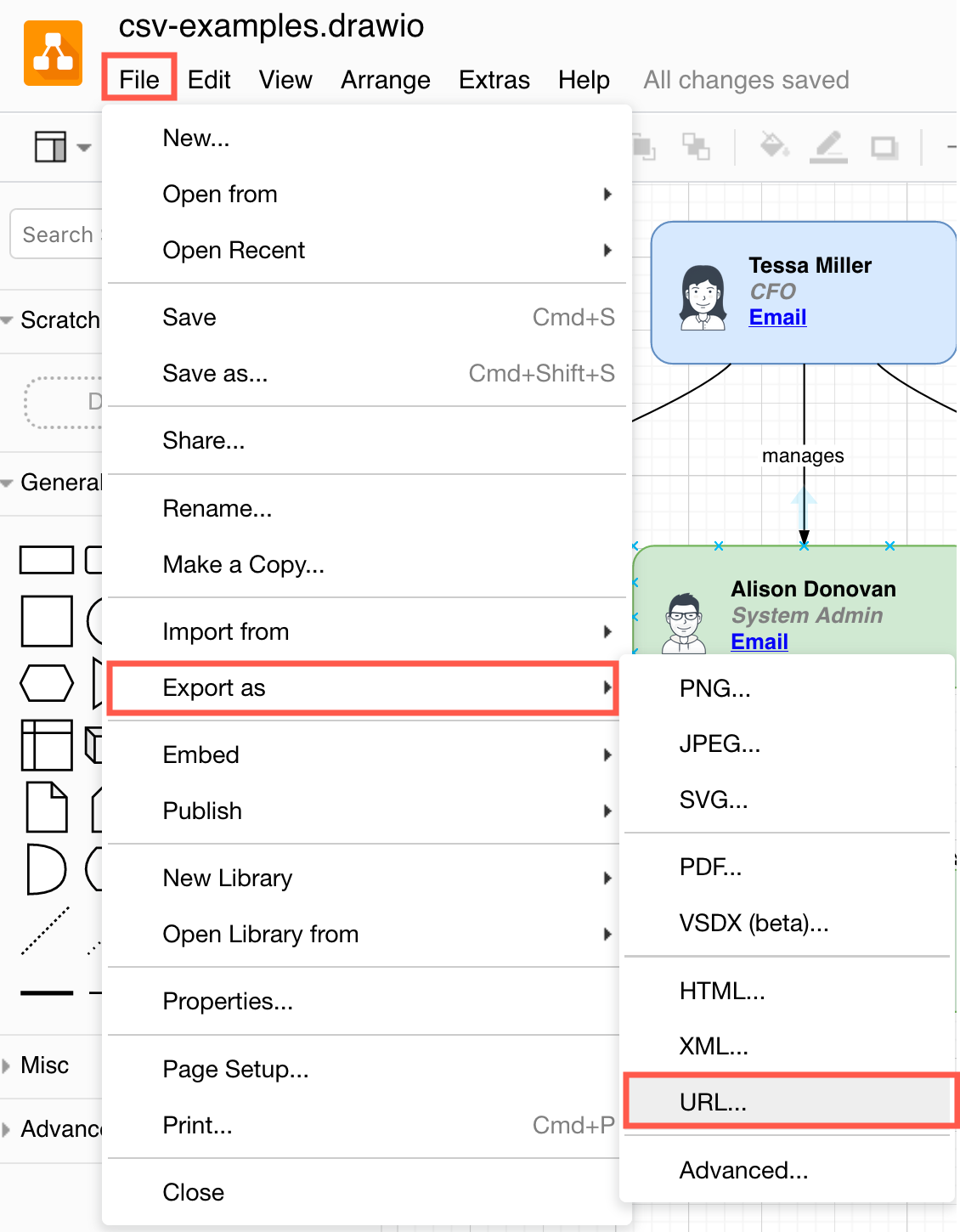
- Select File > Export as > URL.
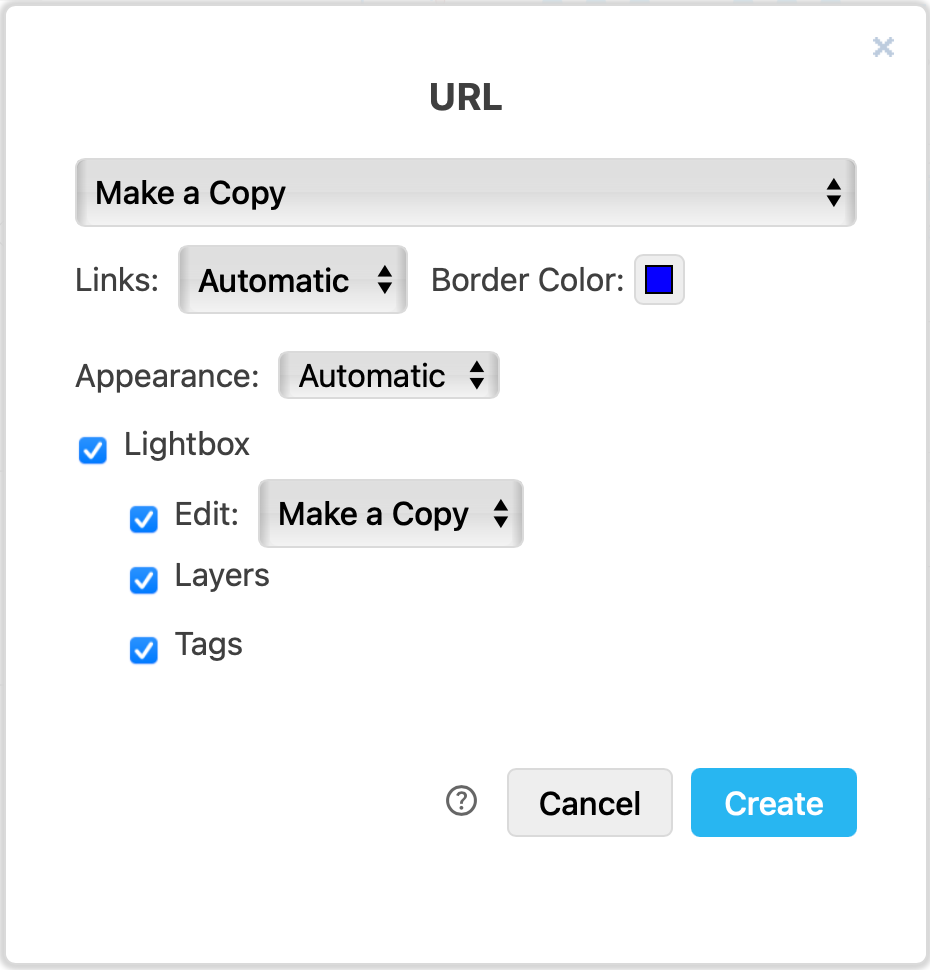
- Change the export settings to suit your requirements, then click Create.
w
- Copy the URL to share it by email or chat, or click on the Facebook button to add the link to a new post in a new browser tab. Click on Preview to open the link in a new tab. Click Close to return to the diagram editor.
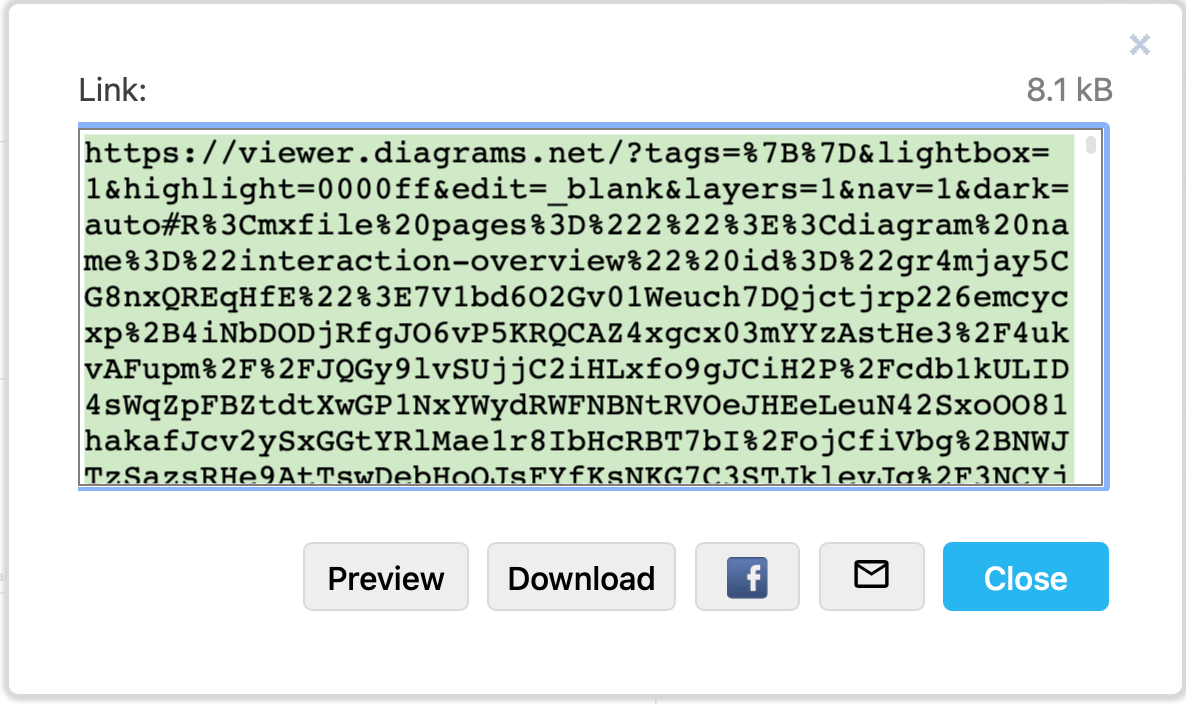
The diagram is encoded in a URL
When someone clicks on the (very long) URL with the diagram encoded in it, they will open the diagram in the diagram viewer. From there, it's easy to print or edit their own copy of the diagram - your original diagram file will not be changed unless you specify otherwise for shared files stored on cloud platforms.
See how a multi-page diagram is exported to a URL in the example below, and then how a user will see it in our online diagram viewer, and step through the pages.
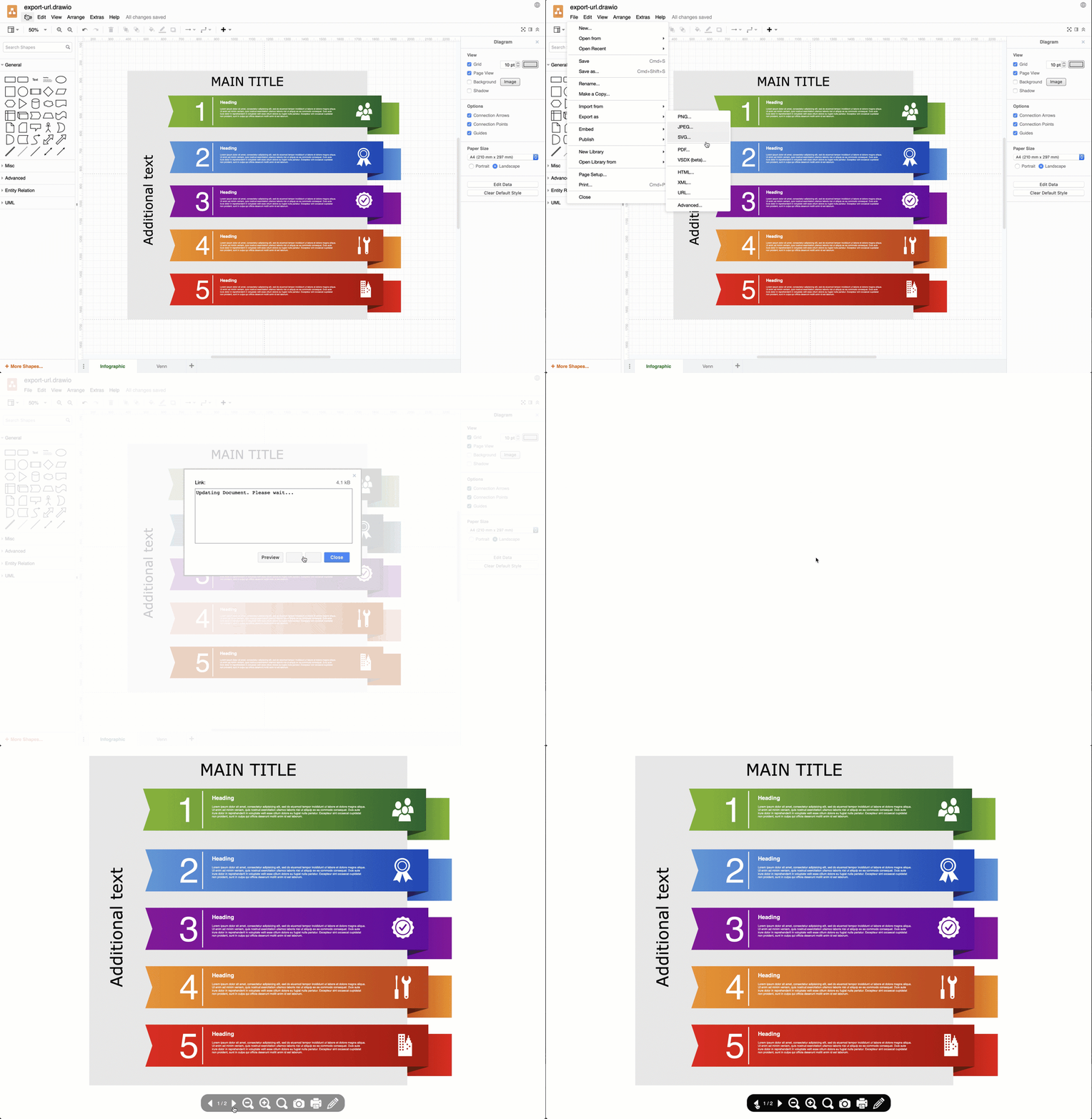
Open this example in the our diagram viewer using the exported URL