Export a diagram to JSON
While the .drawio file extension uses the more verbose XML format, JSON typically has less overhead when a program needs to parse or transform your diagram in some way.
Choose this format if you need to pass the diagram into an API, JavaScript-heavy pipeline or LLM for further manipulation.
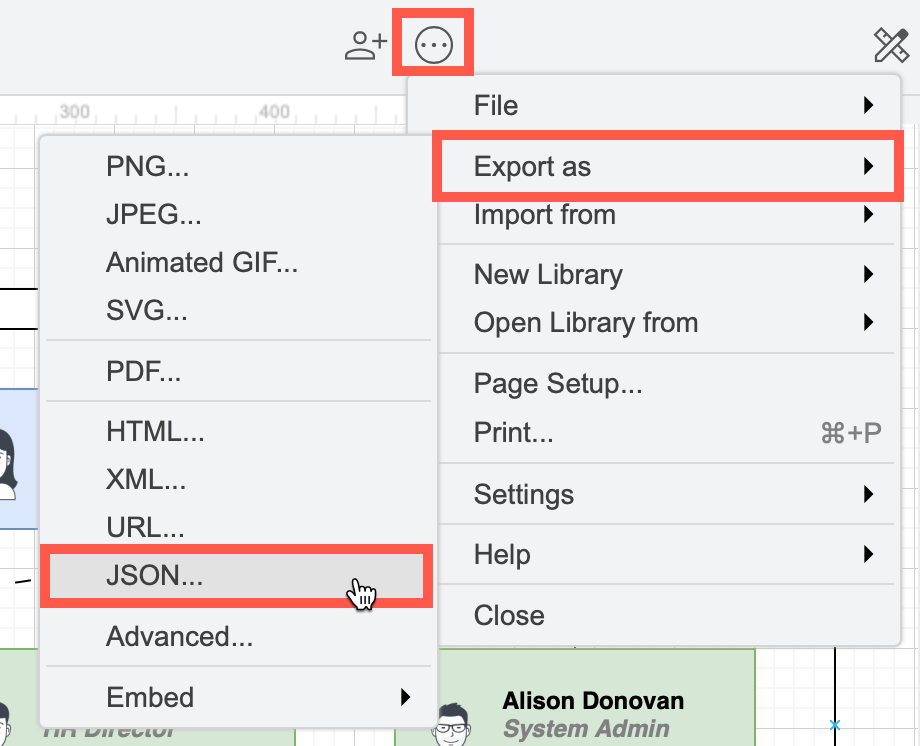
- Select File > Export as > JSON.
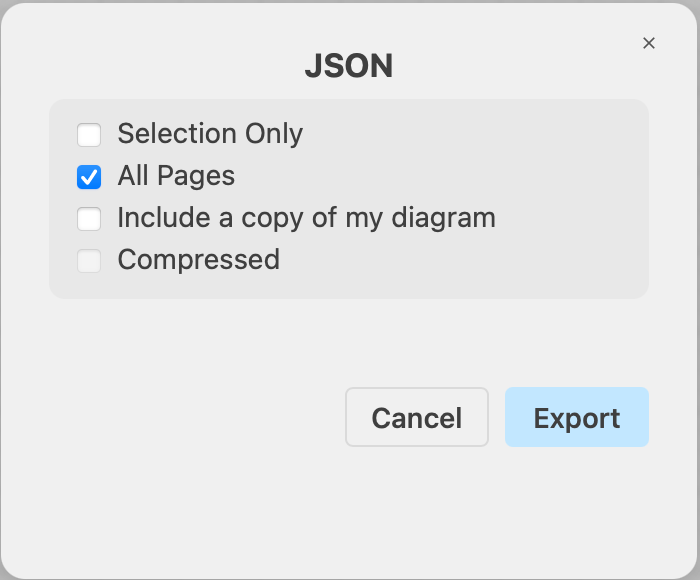
- Change the export settings to suit your requirements, then click Export.
- Click the Selection Only checkbox to create an JSON file with just the selected elements of your diagram. This option is disabled if nothing is selected.
- Deselect the All Pages checkbox to export only the current diagram page to the JSON file.
- Select the Compressed checkbox to reduce the JSON file size.
- Select Include a copy of my diagram to include the XML diagram data. This may be necessary for a seamless round trip back into draw.io to continue editing.
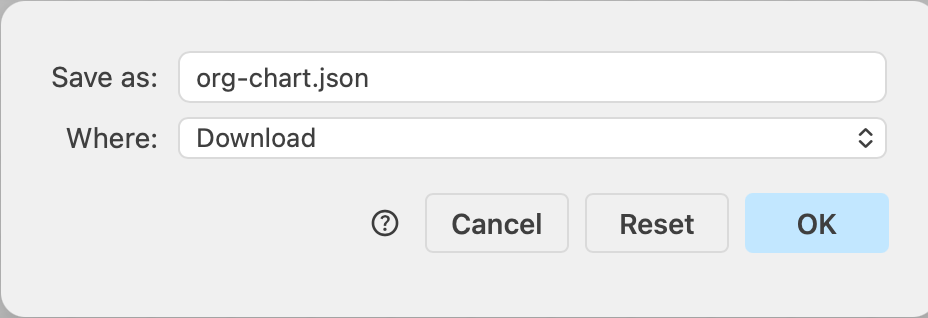
- Enter a Filename, and select the location where you want to save the exported JSON file, or click Download.
Related
- See all supported diagram export formats
- Learn more about LLM diagram generation
- Use the draw.io MCP server to train LLMs to use the
.drawioformat